
Our readers keep the lights on and my garage snacks stocked. As an Amazon Associate, I earn from qualifying purchases.
Specs are compiled from manufacturer listings and verified buyer reviews and can change over time — please confirm the key details on the product page before buying.
If you’re a car owner looking to keep your vehicle in top shape, a reliable OBD2 scanner for Android is an essential tool. These devices allow you to diagnose engine problems, clear codes, and monitor real-time data right from your smartphone.
I’m Min Islam — the founder and writer behind Trending Car. This guide is built by comparing the manufacturers’ published specifications and the patterns across verified customer reviews, so you get each pick’s real strengths and trade-offs instead of marketing spin.
With many options available, finding the best OBD2 scanner that pairs smoothly with your Android device can be overwhelming. We cover app support, Bluetooth behavior, live data, and who each pick suits, so choosing a best obd2 scanner for android feels simpler.
Quick Picks
- Veepeak OBDCheck BLE Bluetooth OBD II Scanner — Best Overall
- Veepeak Mini Bluetooth OBD2 Scanner Code Reader for Android — Android Only
- OBDLink MX+ OBD2 Bluetooth Scanner for iPhone — Premium Pick
- Bluetooth OBD2 Scanner Reader — Built-In App
- Veepeak OBDCheck BLE+ Bluetooth OBD II Scanner — Most Versatile
- FIXD Bluetooth OBD2 Scanner for iPhone & Android — Beginner Pick
- TOPDON TopScan Pro OBD2 Scanner Bluetooth — Top Performer
- BLCKTEC 430 Bluetooth OBD2 Scanner for iPhone & Android — No Subscription
- AUTOPHIX 3210 OBD2 Scanner for DIYers — Budget Champion
How To Choose The Best OBD2 Scanner for Android
When choosing the best OBD2 scanner for Android, consider compatibility, connection type, and supported features. Not all scanners work with every Android device or vehicle model, so check that your car is OBD-II compliant and that the scanner supports your device’s Bluetooth version.
Compatibility And Core Functions
Features like live data streaming, code clearing, and freeze frame data are essential for effective diagnostics. Some advanced scanners offer OEM-specific codes and bi-directional controls, which can be valuable for enthusiasts and professionals.
Budget Planning
OBD2 scanners range from affordable basic models to professional-grade tools with extensive features. Basic scanners provide essential code reading and clearing at a low cost, while advanced scanners offer enhanced diagnostics and service resets at a higher price. Decide what features you need and how often you’ll use the scanner. For casual users, a budget-friendly option suffices, but DIY mechanics and professionals may benefit from investing in a more advanced scanner for long-term savings and capabilities.
Ease Of Use On Android
Picking the right OBD2 scanner for Android depends on your vehicle, usage needs, and tech comfort level. Prioritize compatibility and ease of use for smooth daily diagnostics. Reliable Bluetooth connection and a user-friendly app will enhance your experience. With the right scanner, you can save time and money by diagnosing issues early and maintaining your car effectively.
Quick Comparison
| Model | Best For | Operating System | Dimensions | Warranty | Amazon |
|---|---|---|---|---|---|
| Veepeak OBDCheck BLE | Best Overall | For iOS & Android (excluding head units) | 1.61″L x 1.97″W x 0.87″H | 1 year manufacturer replacement warranty | Amazon |
| Veepeak Mini Bluetooth OBD2 | Android Only | For Android Phones & Tablets (NOT for iOS) | 1.89″L x 0.98″W x 1.26″H | One-Year low-maintenance Replacement Warranty | Amazon |
| OBDLink MX+ | Advanced Diagnostics | iOS, Android, Windows | 2.01″L x 0.91″W x 1.81″H | https://www.obdlink.com/warranty/ | Amazon |
| UMEIJA V011 | Built-In App | Android/iOS/Windows | 3.8″L x 2.5″W x 3.8″H | 90 days | Amazon |
| Veepeak OBDCheck BLE+ | Most Versatile | Android (head units not supported), iOS | 1.97″L x 1.61″W x 0.87″H | 1 year manufacturer warranty | Amazon |
| FIXD Bluetooth OBD2 | Beginner-Friendly | Android, iOS | 1.5″L x 0.5″W x 1.75″H | No | Amazon |
| TOPDON TopScan Pro | Pro Features | iOS and Android | 3.31″L x 1.98″W x 1.07″H | 12 Months Free Software Update and 12 Months Quality Backup | Amazon |
| BLCKTEC 430 | No Subscription Fees | iOS and Android | 1.95″L x 1.45″W x 1.02″H | 1 year limited manufacturer warranty | Amazon |
| AUTOPHIX 3210 | Smog Readiness | iOS, Android | 2.36″L x 1.97″W x 0.98″H | 3 Years Manufacturer Warranty with 100% refund Guarantee if any issues | Amazon |
In‑Depth Reviews
1. Veepeak OBDCheck BLE Bluetooth OBD II Scanner for iOS & Android

A simple BLE dongle that pairs cleanly with Android and many popular apps.
The Veepeak OBDCheck BLE Bluetooth OBD II Scanner is designed to deliver reliable diagnostics for iOS & Android cars. It supports generic OBD-II functions like reading and clearing check engine codes, viewing freeze frame data, and live sensor stats. This scanner works with most 1996+ OBD-II compliant vehicles and offers a Bluetooth LE connection that requires no pairing for ease of use.
This scanner is perfect for users who want a low-maintenance Bluetooth connection and reliable readings on both Android and iOS. It’s straightforward to use with a variety of third-party apps, providing great value and excellent durability. Buyers report both adapters paired quickly over Bluetooth Low Energy and stayed connected reliably during drives, and another buyer said it worked great with the Dr Prius, Car Scanner, and Torque apps on Android.
The catch is that it requires a compatible third-party app to operate, and special functions such as injector coding, EPB reset, ABS bleeding, oil light & service resets, and relearns are NOT supported. Unlike the Android-only Veepeak Mini below, this one works on For iOS & Android (excluding head units), which makes it easier if you switch phones later.
Standout fit: Supports Bluetooth LE for iOS & Android and comes in a compact 1.61″L x 1.97″W x 0.87″H body with a mini carrying case.
Main limit: It is primarily designed for standard OBD-II diagnostics and advanced diagnostics like ABS and SRS are only available for some makes and models via specific apps.
Pick this if: you want an easy everyday scanner for Android that also keeps iPhone support on the table.
Look elsewhere if: you need built-in advanced service functions instead of app-dependent generic diagnostics.
2. Veepeak Mini Bluetooth OBD2 Scanner Code Reader for Android

If you use only Android, this tiny scanner keeps things cheap and direct.
The Veepeak Mini Bluetooth OBD2 Scanner is built specifically for Android devices, providing quick and accurate check engine light diagnostics. It supports generic OBD-II functions, but please note it is not compatible with iOS devices. This model is perfect for Android users wanting a simple, reliable code reader that pairs easily and delivers live data.
We recommend this scanner for Android users seeking a budget-friendly, no-fuss device that delivers fast and stable Bluetooth connectivity and decent diagnostic functions without extra bells and whistles. It reads and clears check engine light trouble codes, view live sensor data & freeze frame data, and check I/M readiness. Compared with the Veepeak OBDCheck BLE above, this one drops iPhone support and stays focused on Android Phones & Tablets (NOT for iOS).
The limitation is plain: it does NOT support advanced diagnostics including ABS, SRS, TPMS, transmission, HVAC, and manufacturer-specific functions including oil light reset, injector coding, EPB reset, relearning, and more. It is also a third-party app device, so your experience will depend on apps like Car Scanner, Torque, OBD Fusion, or Dr. Prius.
Why It Works
- Compact 1.89″L x 0.98″W x 1.26″H design is easy to leave in a glove box.
- Classic Bluetooth keeps setup simple for Android-only owners.
- Live engine data stream includes speed, engine RPM, coolant temperature, throttle position, O2 sensor readings, fuel trim, and mass air flow.
Where It Stops
- NOT compatible with iPhone or iPad.
- Not compatible with BimmerCode, BimmerLink, ABRP, and other apps that require specialized hardware.
Best match: Android owners who only need engine-code reading, live data, and a compact adapter.
Think twice if: you may move to iPhone or you want ABS, SRS, or brand-specific functions.
3. OBDLink MX+ OBD2 Bluetooth Scanner for iPhone, Android, and Windows

For deeper app support and more vehicle data, this is the step-up choice.
The OBDLink MX+ Bluetooth OBD2 Scanner is a versatile and budget-friendly option compatible across iPhone, Android, and Windows. It turns your device into a professional-grade diagnostic tool with enhanced OEM support and works perfectly with popular apps like Torque and FORScan. This scanner offers fast, reliable data transfer and advanced diagnostics while staying affordable.
If you want a scanner that’s budget-friendly yet professional-quality, this device balances affordability and advanced features, making it a great all-rounder for DIYers and pros alike. Owners mention it connects quickly, stays connected reliably, and worked flawlessly with Dr. Prius, Hybrid Assistant, Torque, and ELM-based applications. One owner said it was especially helpful when towing a camper because they could keep an eye on auto transmission temperatures, trip stats, and other metrics.
Some advanced features may require app purchases, and one reviewer noted occasional lost connection while driving and that the device could fall from the OBDII plug in some vehicles. Still, compared with the Veepeak models above, this one adds iOS, Android, Windows support and enhanced OEM support for Ford, GM, Mazda, Nissan/Infiniti, Toyota/Lexus/Scion, Honda, Hyundai, and Kia.
Why enthusiasts buy it: It can clear check Engine Light and get more live parameters including ABS, SRS, and TPMS than other scanners.
Worth noting: The body is just 2.01″L x 0.91″W x 1.81″H and weighs 28 Grams, so it is easy to move between vehicles.
Strong choice: you want one scanner for Android, iPhone, and even Windows, with broader brand-level support.
Hold off if: you want a simpler app path and do not need the extra OEM and app ecosystem reach.
4. Bluetooth OBD2 Scanner Reader for iOS & Android for Performance Test
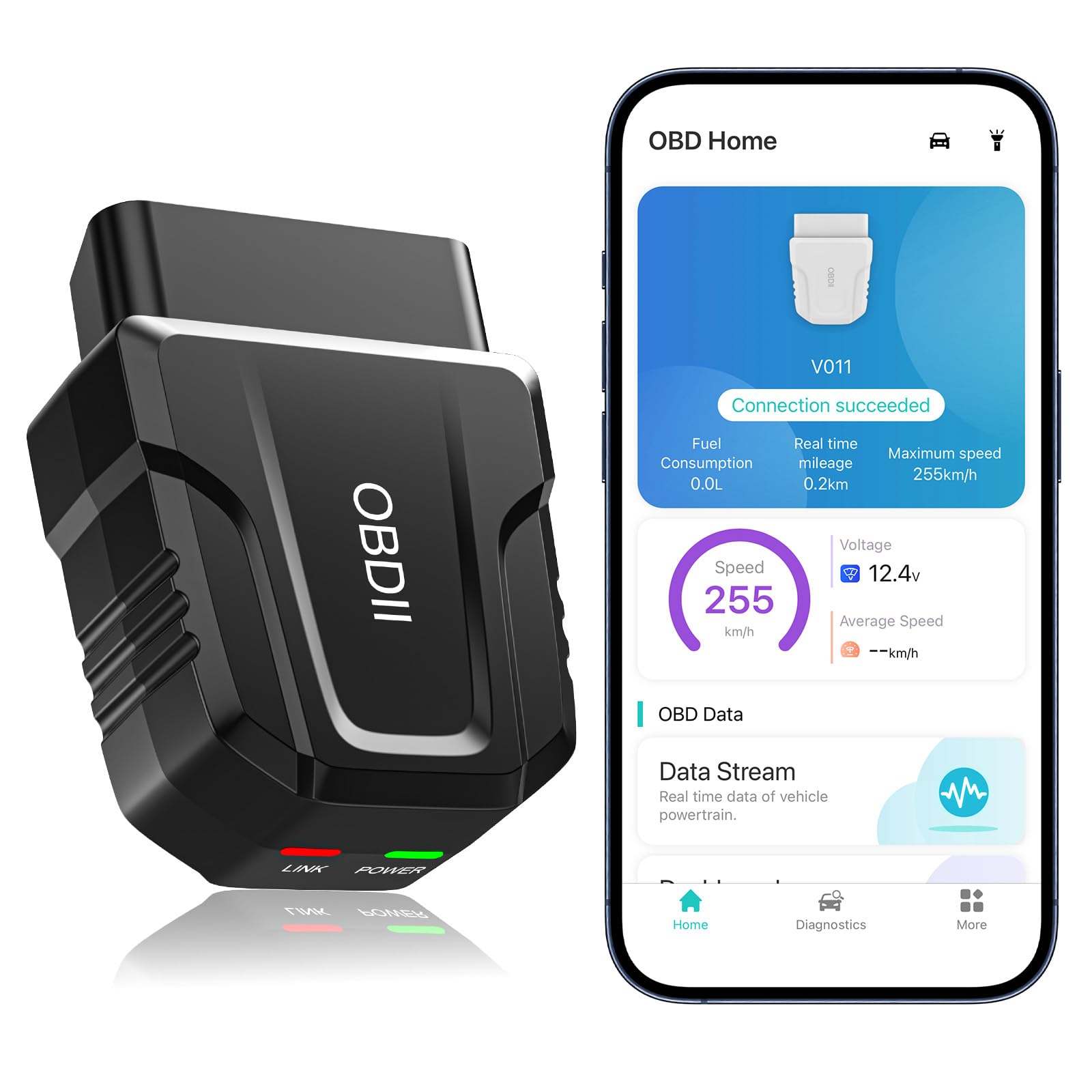
You get a dedicated app here, which cuts out the usual app-hunting hassle.
This Bluetooth OBD2 Scanner Reader offers comprehensive vehicle diagnostics with performance testing and live data reset capabilities. It’s user-friendly for both beginners and experienced DIY mechanics, providing clear and intuitive data visualizations. The Bluetooth 5.4 connection ensures fast and stable pairing with Android and iOS devices.
This scanner is an excellent pick for those who want more than just basic code reading. Its performance tests and live data features add value for users interested in deeper diagnostics without complexity. Customers note it pairs to the app quickly and easily, and one reviewer liked that it came with its own application instead of sending you to third-party app vendors.
Some features may be limited depending on vehicle ECU, and it requires downloading the correct companion app. One reviewer also said the app loses the data when you turn off the car, so you may need screenshots if you want to research readings later. Unlike the Veepeak adapters, this model leans on its exclusive free app and Bluetooth 5.4 system rather than broad third-party app flexibility.
Good Fit For
- Supports 9 protocols and reads DTCs, VIN, freeze frame, sensor data, onboard monitoring, and data streaming.
- Works across Android/iOS/Windows and includes a manual.
- Charts make engine coolant temperature, engine speed, vehicle speed, and control module voltage easier to read.
Be Aware
- This product is only suitable for OBD Home.
- After using the product, it is recommended to unplug the product to avoid consuming the battery of the car.
Reach for this if: you want a dedicated app and simple performance-data viewing on Android.
Pass on it if: you prefer established third-party apps and wider app choice.
5. Veepeak OBDCheck BLE+ Bluetooth OBD II Scanner for iOS & Android

This version adds more Android connection flexibility without getting bulky or complicated.
The Veepeak OBDCheck BLE+ scanner enhances your diagnostics with Bluetooth LE & Classic support on Android and Bluetooth LE for iOS. It reads and clears trouble codes, views freeze frame data, and checks I/M readiness. Compatible with most vehicles from 1996 onward, it offers dependable performance and easy plug-and-play operation.
This scanner is a solid choice for users who want a dependable and versatile scanner that supports both Bluetooth Classic and LE, ensuring compatibility with a wide range of Android devices. Reviewers point out it worked for a Jeep Gladiator and a BMW M2, and another owner said they never had any issues with connectivity while re-coding a Mini Cooper ECU with BimmerCode.
It still requires third-party app support to fully use features, and some advanced features require paid apps. Compared with the standard OBDCheck BLE above, this one explicitly adds classic Bluetooth for certain Android apps, which can help if your app choice is more demanding.
App angle: Compatible with Car Scanner ELM OBD2, Torque, OBD Fusion, BimmerCode, BimmerLink, OBD JScan, and Dr. Prius.
Boundary line: Special functions such as injector coding, EPB reset, ABS bleeding and oil/service resets are NOT supported.
Who it suits: Android users who need BLE and sometimes Classic Bluetooth for wider app compatibility.
Who should skip: anyone wanting an all-in-one scanner with its own full app and built-in service routines.
6. FIXD Bluetooth OBD2 Scanner for iPhone & Android
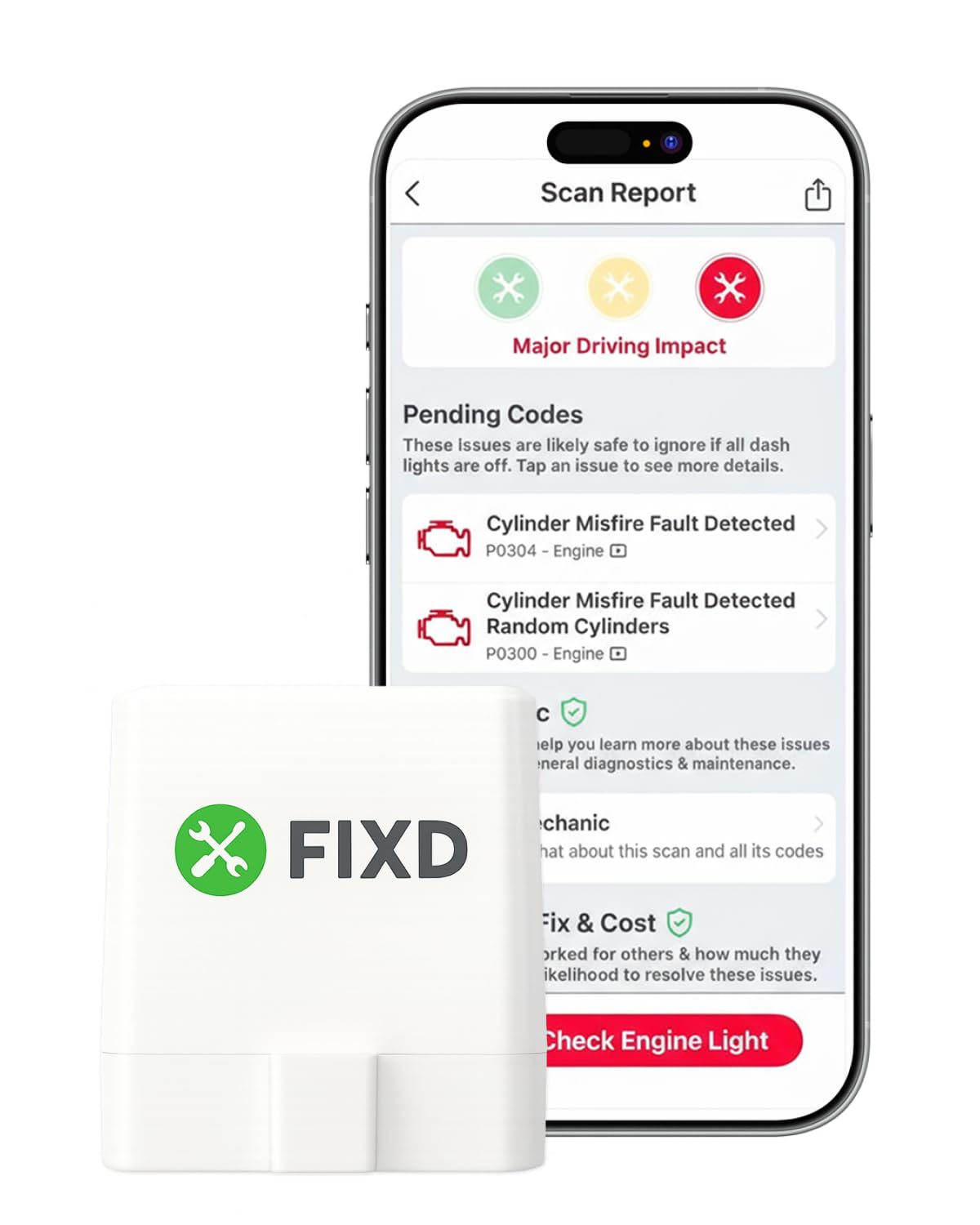
If raw fault codes confuse you, FIXD is built to translate them clearly.
The FIXD Bluetooth OBD2 Scanner offers an easy-to-understand diagnostic experience with enhanced codes and a free 14-day premium trial. It scans for thousands of issues and provides explanations without confusing jargon. The app allows you to manage multiple vehicles and receive alerts about dangerous issues, making it user-friendly for average drivers.
This scanner is great for drivers who want clear, easy-to-understand diagnostics without being overwhelmed by technical terms. The optional subscription open up more features for users needing deeper analysis. Shoppers say the software is easy to set up with an intuitive menu, and one owner said it identified that a truck had a cylinder not firing and even suggested possible reasons.
Full functionality requires paid subscription, some pending codes may require online lookup, and clearing dash lights may not always work. Unlike the AUTOPHIX 3210 and BLCKTEC 430 below, this one leans harder into app guidance and optional premium features than a flat no-subscription approach.
Ease First
- Connects via Bluetooth to iPhone and Android for fast, wireless diagnostics.
- Free app with unlimited scans and multi-vehicle management.
- Save scans by vehicle, track mileage-based reminders, and share results with family or a shop.
The Catch
- Without the premium tier, you do not get as many options.
- One buyer mentioned trouble connecting to a 2002 Chevrolet Camaro SS despite other scanners working on that vehicle.
Best for: everyday drivers who want plain-English explanations more than deep manual diagnostics.
Main drawback: the optional premium model matters more here than with several no-subscription rivals.
7. TOPDON TopScan Pro OBD2 Scanner Bluetooth
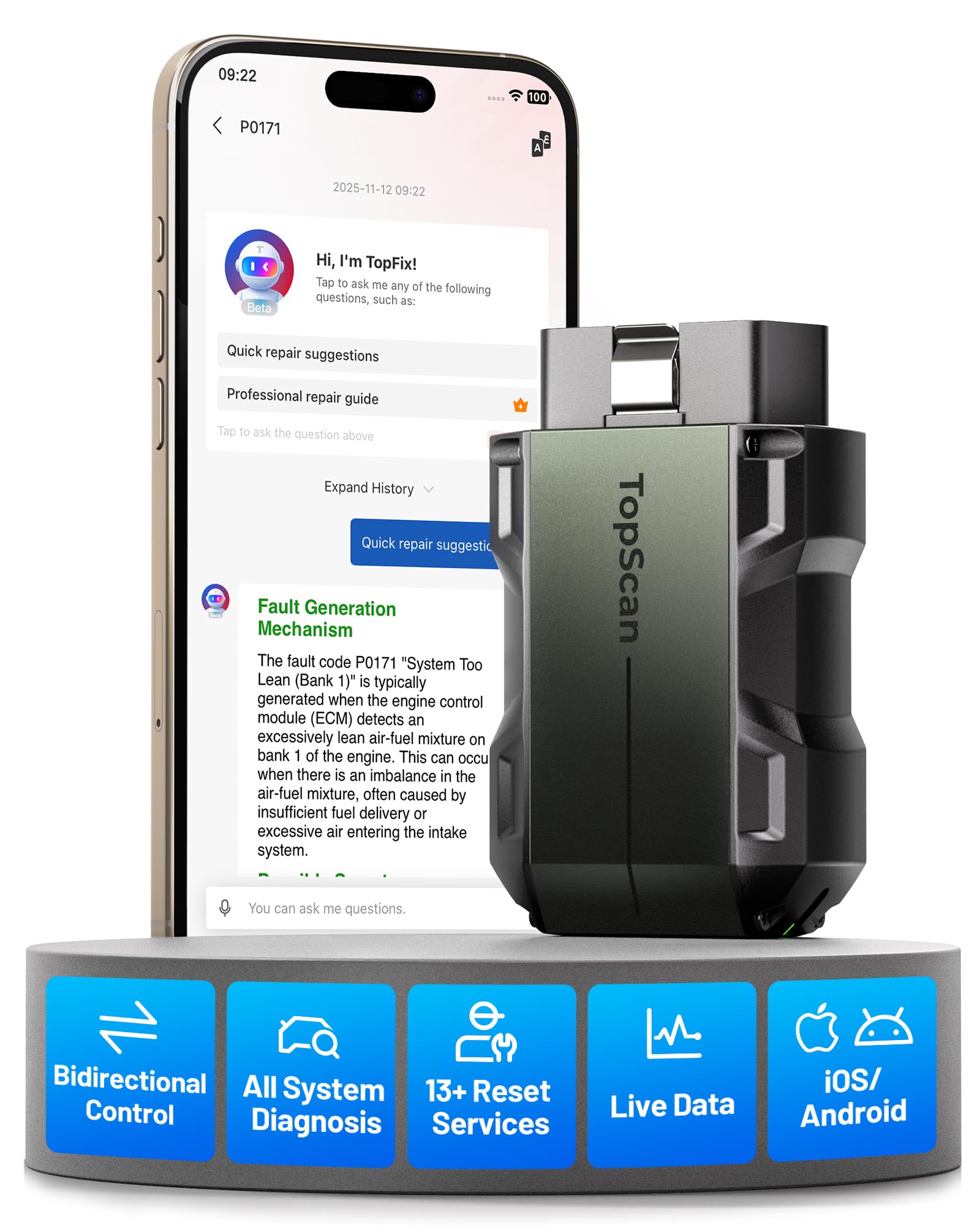
This is the one to buy when code reading is not enough anymore.
The TOPDON TopScan Pro is a professional-level Bluetooth OBD2 scanner featuring bi-directional control, AI assistant, and over 13 service resets. It offers dealer-level diagnostics with a user-friendly app and supports full system scans. This tool is ideal for advanced users and mechanics who want detailed diagnostics and maintenance features.
This scanner is perfect for users who want a comprehensive diagnostic tool with advanced features usually found in expensive professional devices, at a more affordable price. Buyers report it handled a steering angle sensor reset quickly and without issues, and another owner said it cleared an ABS warning light after multiple shops could not get it off.
Higher price point compared to basic scanners and some advanced features may require a learning curve. It also includes 1 year of free access to advanced features such as bidirectional control, services, live data, and code clearing, while core diagnostics stay available for life. Compared with the OBDLink MX+, this one leans harder into active tests, service resets, and all-system work from your phone.
Where it pulls ahead: It performs active tests on fuel injectors, cooling fans, coolant pumps, windows, doors, headlights, wipers, and A/C clutches.
Shop-friendly extras: CAN-FD support, authorized FCA & Nissan Gateway access, 45-language support, and a repair knowledge base are built in.
Verdict: pick this when you want service resets, active tests, and full-system diagnostics from an Android phone.
Caveat: it is more tool than many casual drivers need, and some features change after the first year.
8. BLCKTEC 430 Bluetooth OBD2 Scanner for iPhone & Android

Wide system coverage without recurring app fees is the big reason to pick this.
The BLCKTEC 430 Bluetooth OBD2 Scanner provides comprehensive diagnostics including ABS, SRS, and airbag systems without subscription fees. It offers full system scans and detailed fault codes with layman explanations through its free RepairSolutions2 app. This scanner works offline and supports multiple vehicles, making it ideal for professional mechanics and DIYers alike.
This scanner is highly recommended for those who want professional-level diagnostics and system scans without recurring fees. Its offline functionality and comprehensive app features make it a valuable tool. The product data also says you can access detailed diagnostics previously exclusive to professional mechanics’ OBD2 scan tools, including ABS, Airbag, SRS, TPMS codes, and beyond.
Limited to vehicles in the USA and Canada, and available functions may vary by make and model. Compared with FIXD above, the BLCKTEC 430 pushes harder on no hidden costs and full access, but it is much more region-specific.
Why Some Buyers Prefer It
- No additional subscription fees or hidden costs.
- Compatible with smartphones and tablets running iOS 15.0 or later / Android 10.0 or later.
- Compact 1.95″L x 1.45″W x 1.02″H housing stays out of the way under the dash.
Before You Buy
- BLCKTEC 430 and the App RepairSolutions2 can only be used in the USA and Canada.
- You must pair through the app, not through your phone’s Bluetooth settings.
Good fit: you want ABS, SRS, and airbag access without signing up for ongoing fees.
Not ideal if: you live outside the USA or Canada or want a more global fit.
9. AUTOPHIX 3210 OBD2 Scanner for DIYers
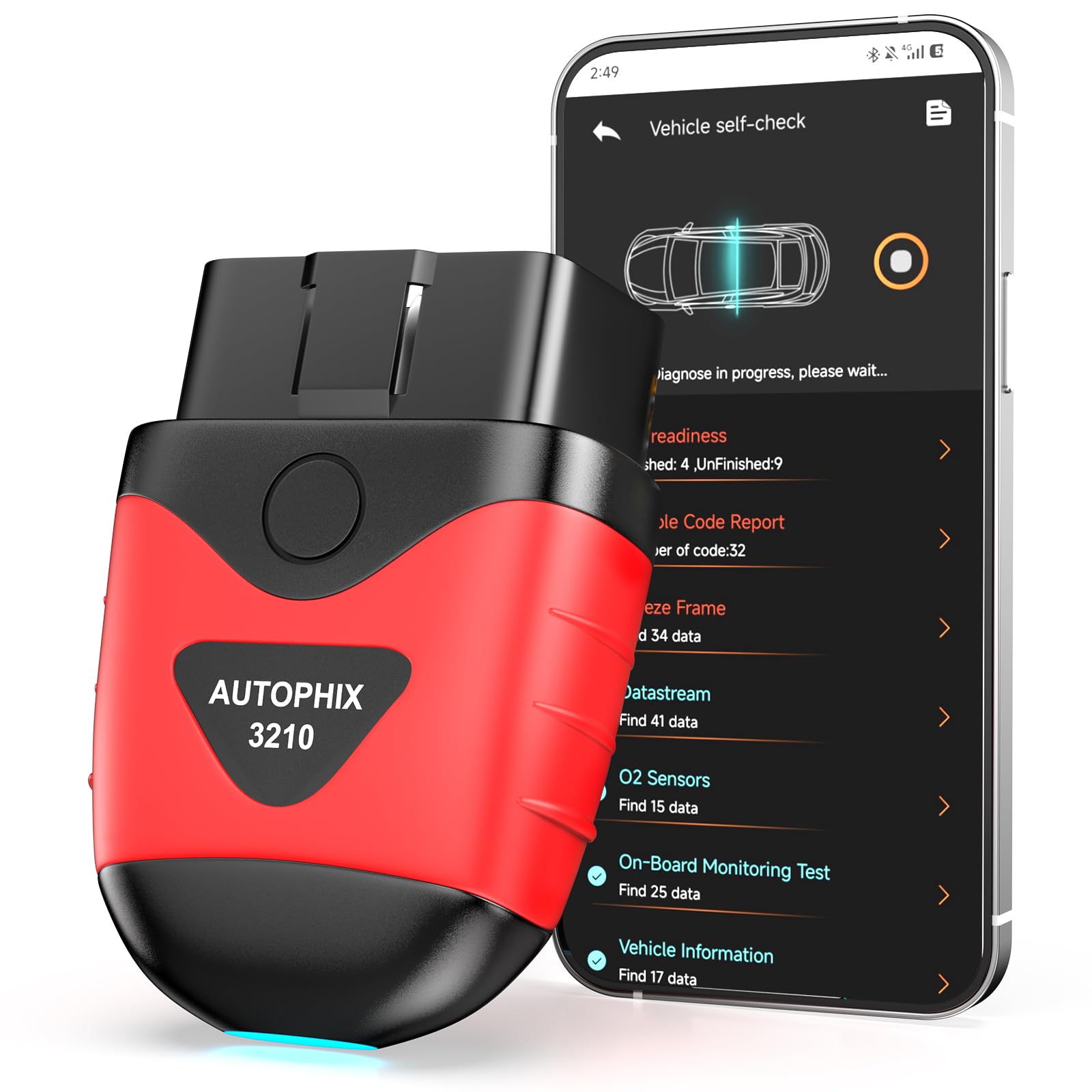
For simple engine-light checks and smog readiness, this one keeps the process clear.
The AUTOPHIX 3210 Bluetooth OBD2 Scanner offers broad compatibility with 99% of OBDII vehicles worldwide. It provides accurate engine light diagnostics, battery checks, and I/M readiness tests with no subscription fees. The scanner also features built-in DTC lookup and a smog check assistant, making home emission testing easier.
This scanner is a great choice for drivers who want a reliable and easy-to-use device with extensive vehicle compatibility and useful features like smog check assistance, without any ongoing fees. Owners mention it plugged in quickly, was super easy to use, and started reading codes within seconds. Another buyer said the app is easy and doesn’t require registration.
Basic app may lack advanced diagnostics, and some features require app familiarity. It does NOT clear ABS, SRS, or transmission codes. Unlike the BLCKTEC 430 above, this one stays focused on engine diagnostics and smog readiness rather than wider system coverage.
Everyday strength: You can run an I/M Readiness test from home and check EVAP system, O2 sensors, and monitors before a smog check.
Simple boundary: It is for engine diagnostics only, even though it adds live engine data, a dashboard module, and a 0-60 test.
Smart buy: you want a straightforward Android scanner for check-engine work, live data, and smog readiness.
skip it if: you need ABS, SRS, transmission diagnostics, or broader system access.
Understanding the Specs
Bluetooth Connection Type
When choosing the best OBD2 scanner for Android, consider compatibility, connection type, and supported features. Bluetooth scanners are generally preferred for Android devices due to better compatibility and stable connection. Some models support Bluetooth LE, some use Classic Bluetooth, and some need you to connect from inside the app instead of your phone’s Bluetooth menu.
Diagnostic Depth
Features like live data streaming, code clearing, and freeze frame data are essential for effective diagnostics. Some advanced scanners offer OEM-specific codes and bi-directional controls, which can be valuable for enthusiasts and professionals. Basic scanners usually focus on engine diagnostics, while more advanced picks can reach systems like ABS, SRS, TPMS, and service resets.
FAQ
Will all OBD2 scanners work with any Android phone?
Can I use an OBD2 scanner on any car?
Do I need to purchase an app separately to use the scanner?
Can I clear check engine light codes myself with these scanners?
Are Bluetooth or Wi Fi OBD2 scanners better for Android?
Can an Android OBD2 scanner read ABS or airbag codes?
What is I M readiness on an OBD2 scanner?
Why does my scanner not pair from the Android Bluetooth menu?
Can I leave an OBD2 Bluetooth scanner plugged in all the time?
Final Thoughts: The Verdict
Choosing the best OBD2 scanner for Android can empower you to understand your vehicle better and save on costly repairs. If you want one dependable pick, the best obd2 scanner for android winner is the Veepeak OBDCheck BLE Bluetooth OBD II Scanner for iOS & Android because it keeps daily diagnostics simple, supports popular apps, and works across both Android and iPhone. If you want advanced OEM support and deeper diagnostics, grab the OBDLink MX+. And for bi-directional control, service resets, and full-system work from your phone, the standout is the TOPDON TopScan Pro.
How We Picked
We do not accept paid placement. Every pick is matched to a real buyer and a real use-case; we do not hands-on test units.
Sources & Methodology
Specifications: manufacturer listings and product documentation. Review insights: verified customer reviews, as of July 2026. Pricing: not shown on this page (it changes often); check the current price via the retailer link.
As an Amazon Associate, Trending Car earns from qualifying purchases. This does not affect which products we feature.