
Our readers keep the lights on and my garage snacks stocked. As an Amazon Associate, I earn from qualifying purchases.
Specs are compiled from manufacturer listings and verified buyer reviews and can change over time — please confirm the key details on the product page before buying.
That glowing check-engine light could mean a loose gas cap or a failing catalytic converter. Without a scanner that shows live data, you are just guessing — and guesses cost time and money. A tool that streams real-time sensor readings turns a mysterious dashboard warning into a specific fix you can trust. This guide cuts through the noise to find the OBDII scanner that actually delivers the live data you need, from simple code reading to full-system diagnostics.
I’m Min Islam — the founder and writer behind Trending Car. This guide is built by comparing the manufacturers’ published specifications and the patterns across verified customer reviews, so you get each pick’s real strengths and trade-offs instead of marketing spin.
Whether you are a weekend DIY mechanic or running a busy shop, the right obdii scanner live data tool means the difference between throwing parts at a problem and knowing exactly what is wrong the first time.
Our Picks at a Glance

How To Choose The Best OBDII Scanner Live Data
Not every code reader is built the same. A basic model tells you the trouble code, but a live-data scanner shows you what the sensors are doing in real time — RPM, coolant temperature, oxygen sensor voltage, fuel trim, and more. Here is what matters most when you pick one.
Live Data Depth and Display Quality
You want a scanner that shows multiple data points on one screen, ideally as graphs or side-by-side columns. A larger, higher-resolution screen makes it far easier to spot trends — a misfire that only happens at a certain RPM, for example. Look for a screen of at least 2.8 inches, but larger touchscreens (5 inches or more) give you a much better view of the live data stream.
System Coverage Beyond the Engine
Basic scanners only read the engine computer. More capable tools also access the ABS, SRS (airbag), and transmission systems. If a dashboard light for brakes or airbags comes on, you need a scanner that can read those modules too. The more systems a tool covers, the fewer surprises you will run into.
Bidirectional Control and Reset Services
Bidirectional control lets you send commands to parts of the car — like cycling the fuel pump or opening a cooling fan — to confirm they work before you buy a replacement. Reset services (oil light, brake pad, battery registration) are handy after you finish the repair. These features separate a basic code reader from a serious diagnostic tool.
Quick Comparison
| Model | Best For | Screen Size | System Coverage | Bidirectional | Amazon |
|---|---|---|---|---|---|
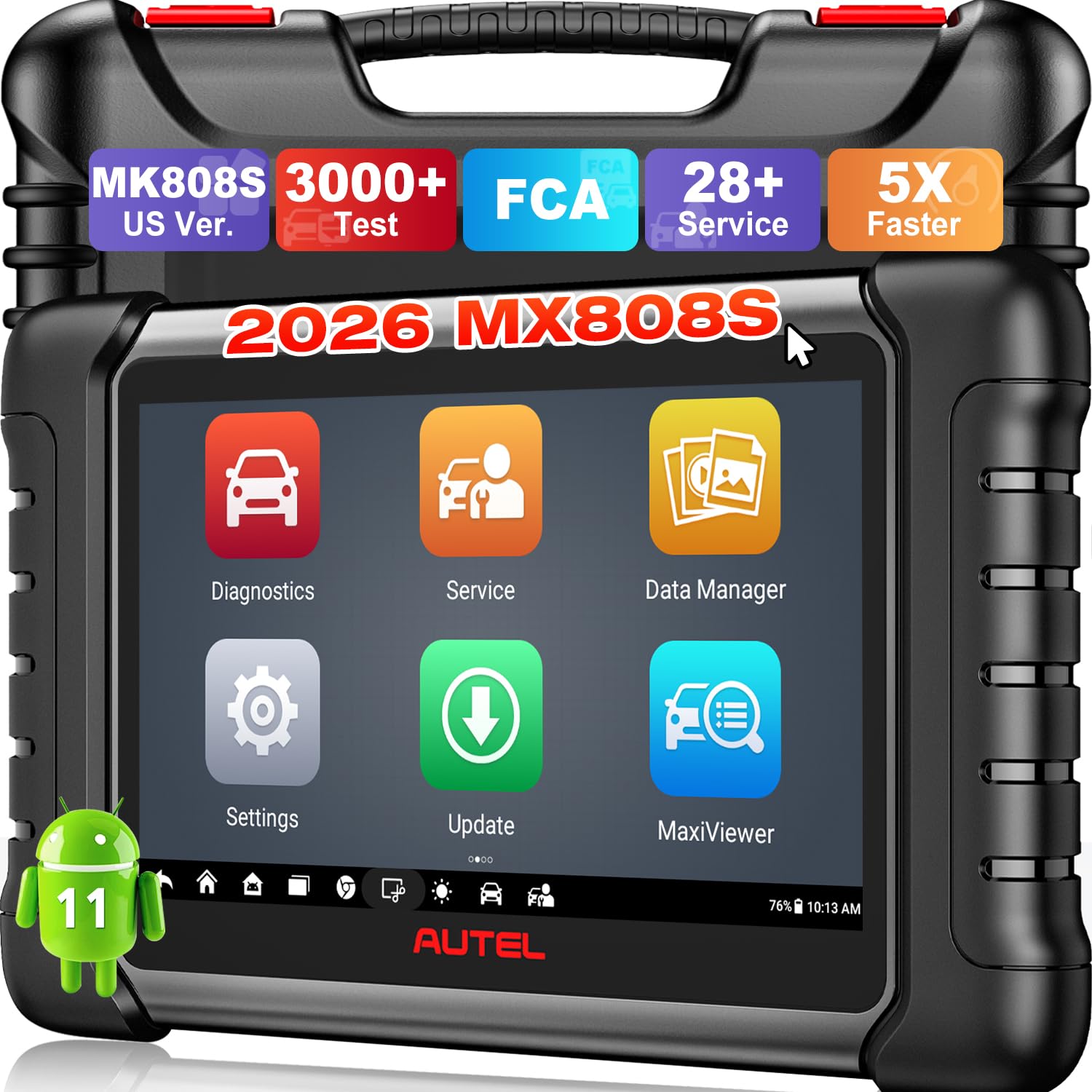
| Autel MaxiCheck MX808S★ Best Overall | Best Overall / Full Workshop | 6.99 inches | OE-level full (Engine, ABS, SRS, TPMS, etc.) | 3000+ active tests | Amazon |
| A-Premium AD100Budget Champion | Budget Entry Reader | 2.8 inches | OBD2 only | No | Amazon |
| VDIAGTOOL VD30 ProDIY Powerhouse | Budget Live Data | 2.8 inches | OBD2 only | No | Amazon |
| INNOVA 5310 | ABS/SRS & Emissions | 2.8 inches | Engine, ABS, SRS, Transmission | No | Amazon |
| XTOOL D5S | 16 Reset Functions | 5.45 inches | Engine, Transmission, ABS, SRS | No | Amazon |
| ANCEL DS100 | Touchscreen DIY Scanner | 5 inches | Engine, Transmission, ABS, SRS | No | Amazon |
| ScanGauge 3 | Permanent Dashboard Gauge | 4.3 inches | OBD2 only (plus X-gauge custom) | No | Amazon |
| FOXWELL NT716 | Bidirectional & 9 Resets | 5.5 inches | Engine, Transmission, ABS, SRS | Yes (active test) | Amazon |
| MUCAR 892BT | AI-Assisted Professional | 8 inches | Full system (140+ brands) | Yes | Amazon |
In‑Depth Reviews
1. Autel MaxiCheck MX808S
Our pick — over 4.5★ from 750+ verified ratings; the strongest balance of quality and price.
The workshop-grade scanner that reads live data in ways phone apps cannot touch.
Live data here is not just a list of numbers — you see temperature, RPM, fuel trims, oxygen sensors, and more in five formats: graph, text, column, meter, and waveform. That variety makes it far easier to spot intermittent problems. The 6.99-inch screen shows it all clearly, with a 1024×600 native resolution — a big step up from the 320×240 displays on simpler readers. The tool runs on Android 11 with a Rockchip RK3566 4-Core CPU, 4GB RAM, and 64GB of storage, so it boots in seconds and switches between engine, ABS, SRS, and transmission systems without lag.
Buyers report using it to set camshaft timing on a truck and finding a wiring issue that was preventing the PCM from reading a sensor — live diagnostics that would have stumped a basic code reader. The tool covers 10,000+ vehicles from 1996 onward, and support for FCA AutoAuth (2018+ Chrysler, Jeep, Dodge, Fiat) is built in. One year of software updates is included, and the tool continues working after that. The crowd favorite is functionality — over 150 owners single out how much it can actually do.
The minor friction is that some features are not supported on older vehicles, and the software can take a moment to learn. But for anyone who does serious work — DIY or professional — this is the tool that pays for itself fast. It is also noticeably faster than the earlier Android-based models from the same brand.
What owners rave about
- Live data in 5 views (graph, waveform, text, column, meter) makes finding tricky faults easier
- 3000+ bidirectional active tests let you confirm a bad part before buying a replacement
- 28+ service functions cover oil reset, ABS bleed, EPB, BMS, and throttle relearn
Who should think twice
- Some features show as “not supported” on older pre-2000 vehicles
- WiFi updates are great, but the tool connects to the car via a wired cable, not Bluetooth
Whose toolbox this belongs in: Any DIYer or shop owner who wants professional-level live data and bidirectional control without paying dealer prices.
One honest trade-off: The Android learning curve can trip up first-timers, and registration requires a quick email to Autel support.
2. A-Premium AD100
The tiny reader that proves you do not need to spend big to get live data.
At 2.75 inches long and a little over a half-inch thick, this pocket-sized reader is barely bigger than a pack of gum. It pulls live data in real-time curves and freeze-frame info, plus it runs an O2 sensor test, an EVAP system test, and a battery test. The 320×240 native resolution screen is small — much smaller than the Autel’s 1024×600 panel — but for reading a code and watching one or two sensor streams, it gets the job done. The built-in DTC library covers 100,000 codes, so you rarely need to reach for your phone.
What owners praise most is how well it works for the money — functionality gets the most mentions by far. One buyer used it on a Prius, pulled the code, found the likely cause, cleared the light, and the car ran fine without an expensive dealer visit. The downside is that it only covers OBD2 powertrain systems. It does not access ABS, SRS, or transmission modules, and it does not work with full electric cars or 24V big trucks. Connectivity is also a mixed area: a handful of owners had trouble getting it to link up initially.
The screen is also the limiting factor if you want to graph multiple sensors side by side — the 2.8-inch display gets cramped fast. But as a first live-data tool for under, this is the one that saves you money before you even use it.
Perfect first step: If your only goal is to read engine codes, watch a live data curve, and clear the light, this is the most affordable way to get that done.
Where it falls short: No ABS or airbag diagnostics, and the display is too small for multi-sensor graphing.
Reach for this if: You only need a simple, reliable OBD2 code reader with live data for one car and want to spend as little as possible.
Look elsewhere if: You work on multiple vehicles, need ABS/SRS diagnostics, or want to monitor several live data streams at once.
3. VDIAGTOOL VD30 Pro
The budget-friendly scanner that plots four live data streams on one screen.
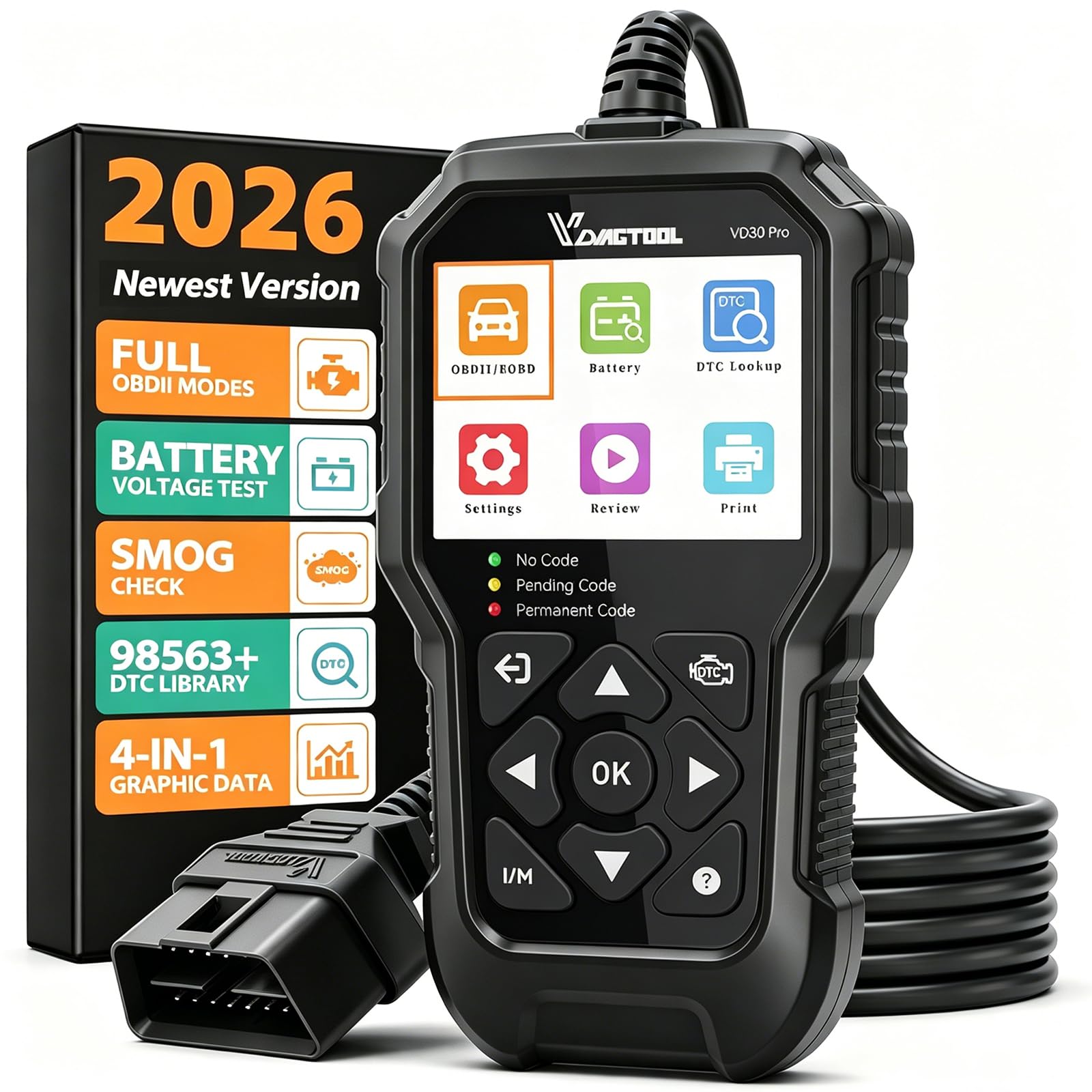
Live data on the VD30 Pro appears as a 4-in-1 graph, which means you can watch RPM, oxygen sensor voltage, fuel trim, and coolant temperature all on the same screen at the same time. That is surprisingly capable for a reader that costs about the same as a tank of gas. The 2.8-inch screen runs a 320×240 resolution, identical to the A-Premium AD100, but the VD30 Pro feels more polished because the software is intuitive — one-click auto-ID on vehicles and a dedicated I/M readiness hotkey. The integrated DTC library holds over 98,000 definitions, so you get plain-English explanations without needing a separate search.
Owners consistently mention that it communicates reliably with all their vehicles, from 2002 to 2019 models, and the live data feature is the standout. The tool also includes a battery voltage test and data playback, so you can review a driving cycle after the fact. It does have limits: there is no TPMS reset, and it cannot scan ABS, SRS, or airbag systems. The connectivity aspect is marked as mixed by a small number of owners, though the overall majority rate it highly.
You get a 3-year warranty and free software updates for life via USB, so the tool stays current without extra cost. If you want live data graphing but are not ready to pay for a higher-tier model, this scanner hits the right balance of features and price.
Where it shines
- Plots four PIDs at once in a color graph — easier to spot patterns than scrolling through text
- Built-in I/M readiness key saves time before smog checks
- Rugged drop-resistant housing and a long cable make garage work easier
Where it stops short
- No ABS, SRS, transmission, or TPMS diagnostics — OBD2 powertrain only
- Screen is small for multi-graph viewing, though the software compensates well
Best fit: The DIY owner who wants proper live data graphing and code clarity without spending mid-range money.
skip it if: You need to diagnose airbag or ABS warning lights — this tool cannot see those systems.
4. INNOVA 5310
A mid-priced scanner that speaks to airbags, brakes, and emissions readiness.
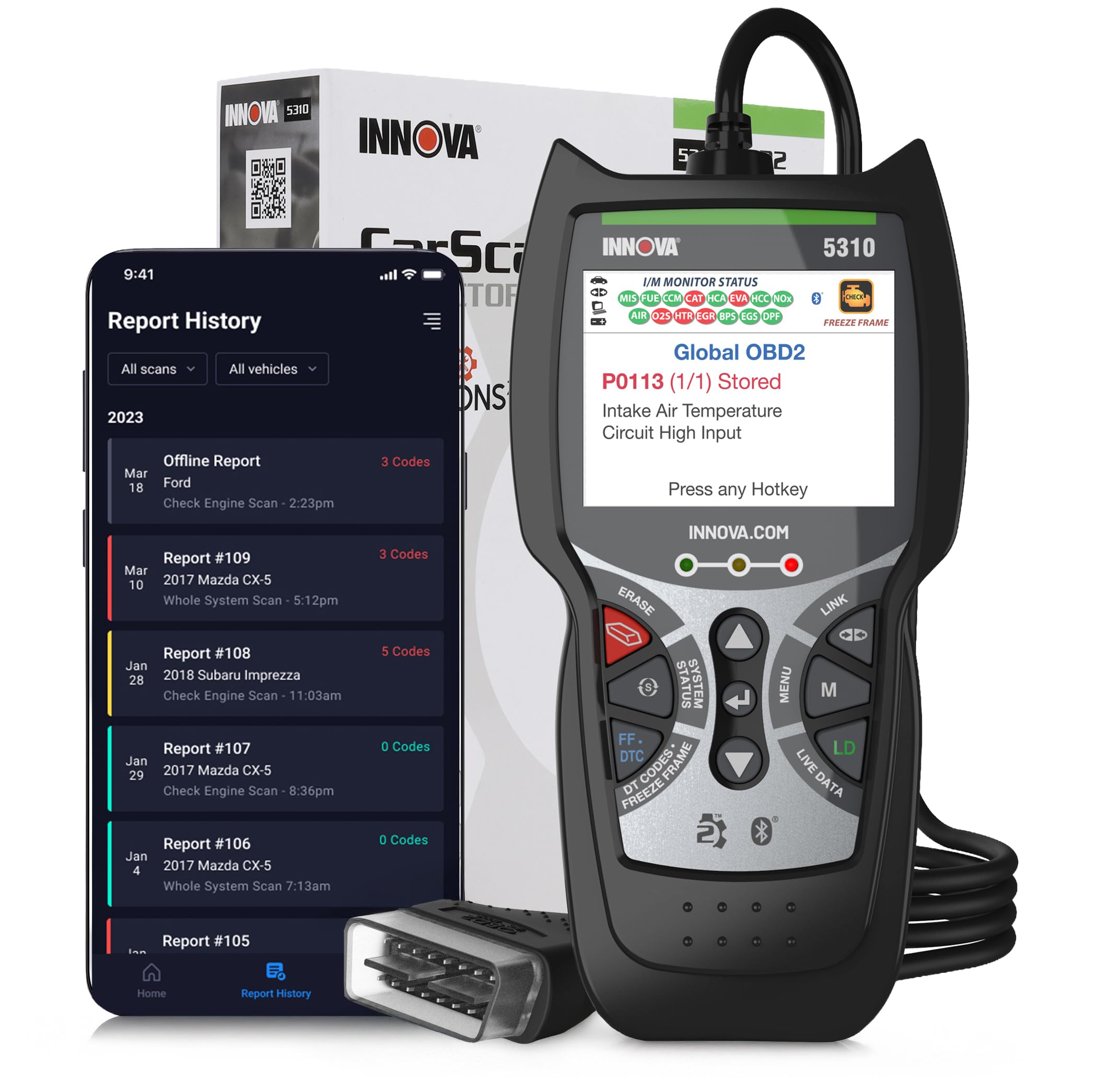
While basic readers stop at the engine computer, the INNOVA 5310 dives into ABS, SRS, and transmission modules. That means you can read and clear the airbag light after a seatbelt repair or check why the ABS warning is staying on — jobs a simple code reader cannot handle. The live data stream covers RPM, speed, and oil temperature, and it adds a battery and alternator test to check electrical health. The 2.8-inch screen is small, but the large numbers and clear layout make it easy to read from the driver seat.
The paired phone app is where this tool gets interesting — it shows possible fixes and part links for the codes you pull, and offers a vehicle history report (cheaper than Carfax). Owners find it great for flipping cars, since you can quickly check multiple systems before buying or selling. The main drawbacks are that the device itself feels a bit plasticky, and code accuracy is excellent but data acquisition gets mixed feedback — some users find the live data screen less responsive than pricier alternatives.
Designed in the USA, it covers most 1996 and newer OBD2 vehicles, but not all features work on every car. The lack of bidirectional control means you cannot command components to cycle, but for reading and clearing codes across four major systems, this is a solid middle-ground tool.
Best trick: The phone app that links codes to potential fixes and part prices gives you a second opinion without leaving the garage.
The compromise: The physical build feels lighter than competitors at the same price, and the live data display could be faster.
Whose garage: The home mechanic who needs ABS and airbag diagnostics but does not want to pay for a full bidirectional tool.
Not for you if: You need component testing (like cycling a fan or pump) — the 5310 reads and clears but does not control.
5. XTOOL D5S
A touchscreen scanner built for after-repair resets and live data graphing.
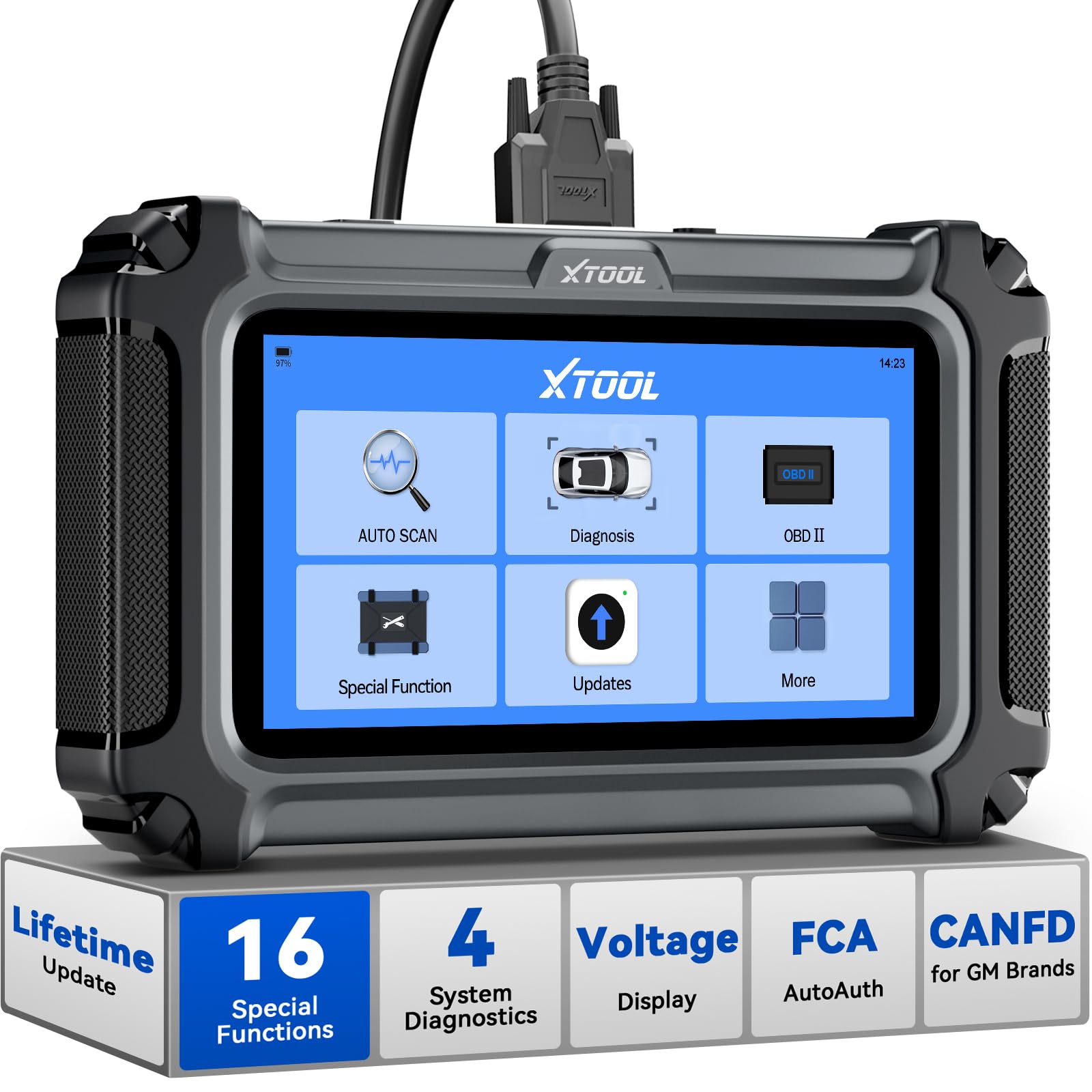
The XTOOL D5S offers 16 reset functions — from electronic parking brake reset and throttle relearn to crank sensor relearn and ABS bleeding. That is more resets than many tools in this price range, and it saves a trip to the dealer after a brake job or battery swap. The 5.45-inch touchscreen runs at 1440×720 resolution, a noticeable jump from the 320×240 screens on budget readers. Live data can be displayed as text or as a graph of up to 4 PIDs, so you can compare fuel trim and oxygen sensor voltage side by side.
It covers four main systems: engine, transmission, ABS, and SRS. The tool reads and clears codes and displays real-time TCM data for transmission issues like rough shifts. Owners mention using it to solve a P0339 code (crank sensor) and perform a crankshaft position relearn after an aftermarket starter caused problems — work that usually demands a pricier tool. The power button is not recessed, so a few owners found they accidentally turned it off while working. The tool also requires WiFi setup for updates and registration, which adds a step.
If you do your own repairs and need to reset systems like oil life or brake service, the D5S sits between basic code readers and costly bidirectional tools. It runs on Linux, which keeps the menus fast and uncluttered — no lag when you scroll through live sensor data.
What makes it special
- 16 reset functions cover EPB, SAS, BMS, throttle relearn, crank relearn, injector coding, and more
- High-resolution 1440×720 touchscreen with silicone grips for comfortable handling
- Free lifetime WiFi updates with no subscription fees
A couple of quirks
- Power button sits flush and can be pressed accidentally during use
- Requires online registration and WiFi setup before first use
Reach for this if: You regularly perform brake jobs, battery swaps, or throttle cleaning and need the reset functions to finish the job.
Think twice if: You need bidirectional control (active testing) — the D5S reads and resets but does not command components.
6. ANCEL DS100

A modern touchscreen scanner that feels more like a mini tablet than a code reader.
The 5-inch full touchscreen on the ANCEL DS100 makes navigating menus a lot more natural than poking at tiny buttons. AutoVIN recognition grabs your vehicle info automatically, and the 4-in-1 live data screen lets you compare multiple sensor streams in one view. The tool scans four systems — engine, ABS, SRS, and transmission — and includes 7 reset functions: oil reset, brake reset, BMS matching, ABS bleeding, throttle adaptation, SAS reset, and gear learning. That covers the most common post-repair steps. It runs on Android, which allows simple WiFi updates and even PDF report generation that you can email from the tool itself.
Owners particularly like how accurate it is across multiple brands — one used it on BMWs, Fords, and more with no connection issues. The included protective case is a thoughtful touch. The biggest gap versus pricier tools is the lack of bidirectional control. You can read and clear codes and reset services, but you cannot command components to cycle. The 1-year warranty is also shorter than some competitors offer. But for a DIY owner who wants a big, clear touchscreen and solid system coverage at a mid-range price, this is a very clean option.
Standout feature: The 4-in-1 live data display on a bright 5-inch screen makes it easy to compare sensors without squinting.
Fair trade-off: No bidirectional testing, and the warranty is one year versus three on some rivals.
Who it fits: The everyday car owner who wants a large, easy-to-read screen and the ability to scan safety systems without overspending.
Not for: Professional mechanics who need to test components actively — this tool reads, resets, and reports but does not command.
7. ScanGauge 3

The permanent dashboard gauge that shows live engine data while you drive.
This is the only tool on the list designed to stay plugged in as a real-time gauge cluster. Up to 9 measurements appear on screen at once — things like coolant temp, transmission pan temp, and voltage — spread across multiple customizable pages. The 4.3-inch capacitive touch display supports 16 million colors, and you can set visual and audible alarms when a parameter goes out of range. The X-gauge feature lets you access manufacturer-specific data that standard OBD2 does not show, so you can pull data like turbo boost or transmission slip if the vehicle supports it.
Owners love using it as a permanent mount in campervans and trucks to keep an eye on engine health. The setup is straightforward, and the suction cup mount holds well. One recurring note is that the active LED can be too bright for night driving unless you manually dim it. The tool also goes dead about every 20 drives and needs to be unplugged and reconnected. It reads and clears check engine codes, but it is not a deep diagnostic tool — it cannot access ABS, SRS, or transmission modules beyond what the engine computer exposes. It is a monitor first, a code reader second.
The 3-year warranty backs the hardware if anything fails. If you want a live data dashboard you can watch while driving — showing real-time MPG, coolant temp, and voltage — rather than waiting for a check-engine light, the ScanGauge 3 is built for that exact use.
Why drivers love it
- Shows up to 9 parameters on one screen with customizable colors and pages
- Alarms alert you when coolant, transmission temp, or other readings go out of safe range
- X-gauge open up manufacturer-specific PIDs not available on basic readers
The catch
- Needs occasional unplug and replug (roughly every 20 drives) to stay responsive
- Active LED is very bright at night without manual dimming
Best for: The enthusiast or van-lifer who wants a live engine monitor on the dash, not a diagnostic tool that only comes out when a light is on.
pass on it if: You need to diagnose ABS, airbag, or transmission codes — the SG3 is an OBD2 monitor, not a system-level scanner.
8. FOXWELL NT716
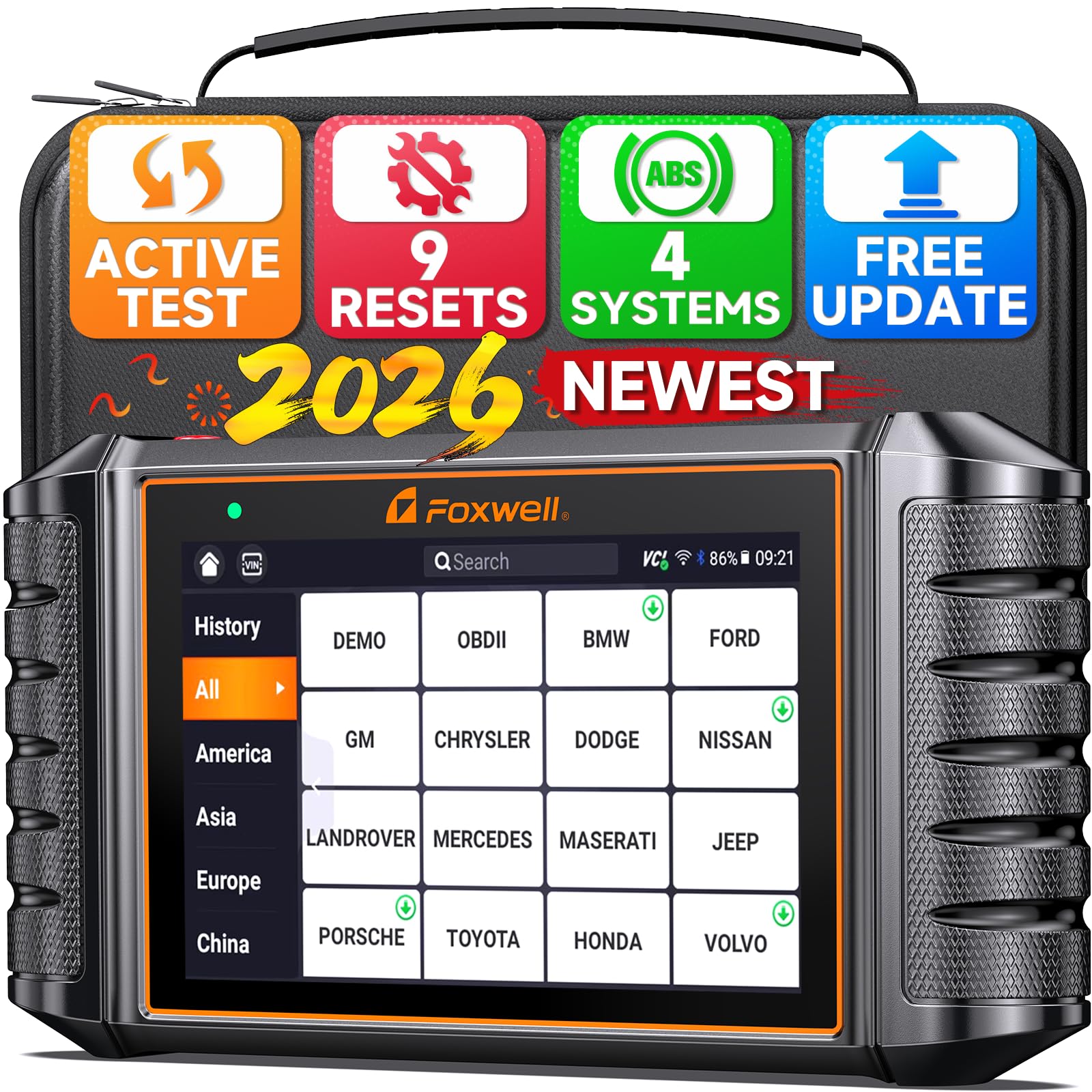
A pro-level scanner that talks back to the car with bidirectional active tests.
The FOXWELL NT716 goes beyond reading codes. Its bidirectional control lets you command components like fuel pumps, cooling fans, injectors, and windows — you tell the car to do something, and you watch whether it actually does it. That is the difference between guessing that a part is bad and confirming it. The tool covers four systems (engine, transmission, ABS, SRS) and includes 9 reset functions, including ABS bleeding, oil light reset, EPB, BMS, DPF, throttle relearn, injector coding, and TPMS. The 5.5-inch HD touchscreen (Android 9.0) makes navigating all these features straightforward.
Owners find it especially useful for European and domestic cars — one used it on a VW, Cadillac, GMC 2500, and Nissan pickup without issues. The built-in 4000mAh battery keeps it running for longer sessions without staying plugged into the car. The 1-year warranty and lifetime tech support are standard, and the tool comes in a shockproof, waterproof carrying case. The biggest limitation is that the bidirectional active test requires an upgrade, so it does not work from the start for all users. A few owners also noted needing an extra wire adapter for certain vehicles.
The edge: Bi-directional testing at this price point is rare — you can cycle fans, pumps, and injectors without crawling under the hood.
What to watch for: Active test requires a separate upgrade, and some vehicles need a specific adapter to connect.
Reach for this if: You want to confirm parts are bad before buying replacements, and you need multiple reset functions for routine maintenance.
Look elsewhere if: You want bidirectional testing that works immediately without a separate upgrade purchase.
9. MUCAR 892BT
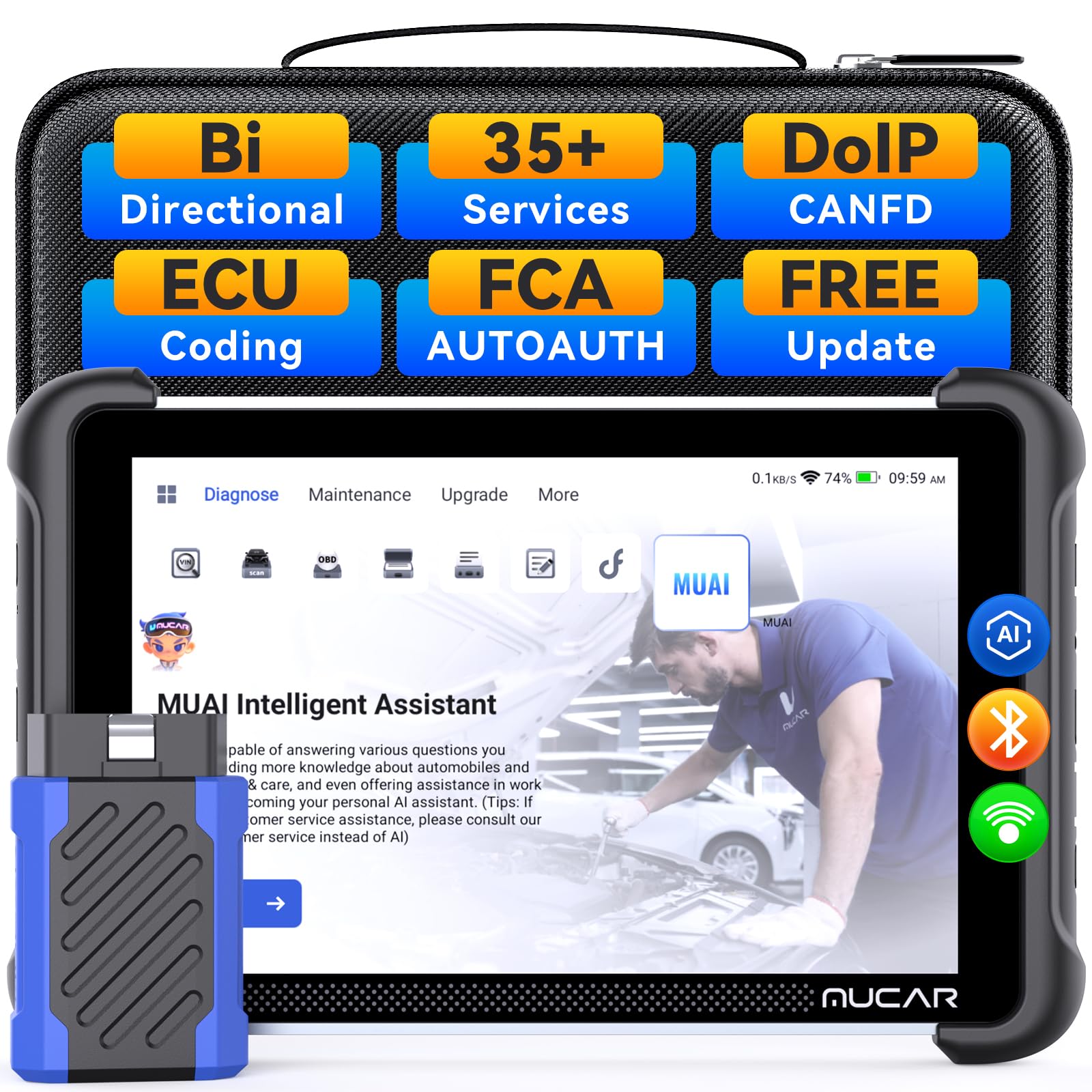
The biggest screen and built-in AI that suggests fixes while you work.
The MUCAR 892BT runs Android 10 on a 4-core processor with 4GB RAM and 64GB storage. The 8-inch 1280×720 display is the largest here by a wide margin, making live data streams easy to read even when you are watching multiple PID graphs. It offers full system bidirectional diagnostics for over 140 car brands and supports CAN FD and DoIP protocols for modern vehicles. The AI-assisted diagnostic tool analyzes fault codes and suggests solutions, and a built-in AI chatbot offers real-time troubleshooting support. That is a level of hand-holding no other tool on this list provides.
It also has 35+ service functions — the most of any scanner here — covering oil reset, ETS, gear, SAS, injector coding, BMS, and brake reset. Advanced ECU coding lets you reflash special functions and customize OEM settings. Wireless Bluetooth connectivity means you can monitor data from the driver seat without a cable running across the cabin. The main downsides: key programming is very limited (it locked out one owner after a single canceled attempt on a Jeep Grand Cherokee), and the bidirectional functions can be hit-or-miss depending on the vehicle. Some owners also found the startup to be slow and experienced occasional lockups.
If you work on late-model vehicles and want AI guidance plus a huge screen, the MUCAR packs impressive specs. Just know that not every feature works on every car, and the FCA AutoAuth system requires a separate account and membership fee.
The power features
- 8-inch 1280×720 display is the largest and sharpest on this list
- AI assistant analyzes codes and offers repair suggestions in real time
- 35+ services cover nearly every maintenance reset you will encounter
Where it stumbles
- Bi-directional control and key programming are limited on some US vehicles
- WiFi or hotspot required for full diagnostics, and some functions lock out after failed attempts
Whose tool chest: The advanced DIYer or small shop that works on newer vehicles and wants AI-powered diagnostics with a massive screen.
One honest caveat: Not all features work on every car — check compatibility with your specific VIN before relying on it for a critical job.
Understanding the Specs
Screen Size and Resolution
A larger, clearer screen helps you read live data at a glance — whether you are driving or leaning into the engine bay. Basic readers with a 2.8-inch screen at 320×240 resolution show only simple numbers, but a 5-inch or bigger touchscreen at 1024×600 or higher resolution displays multiple sensor graphs side by side. That means you can spot a pattern, like a misfire at a specific RPM, without scrolling through menus.
Bidirectional Control
Standard code readers can only pull information from the car. A bidirectional tool sends commands back, like telling the fuel pump to cycle or the cooling fan to spin. That lets you confirm a part is actually working before you buy a replacement — saving you from the biggest expensive guessing game in auto repair.
FAQ
What does live data mean on an OBDII scanner?
Can I use an OBDII scanner live data tool on any car?
What is the difference between a basic code reader and a live data scanner?
Do I need bidirectional control on my OBDII scanner?
Can an OBDII scanner diagnose ABS or airbag systems?
How often do I need to update the scanner software?
Will a live data scanner work on a diesel truck?
What size screen is best for viewing live data?
Can I leave the scanner plugged in all the time?
How many reset functions do I really need?
Final Thoughts: The Verdict
If you want one dependable pick, the obdii scanner live data winner is the Autel MaxiCheck MX808S because it pairs a 6.99-inch 1024×600 screen with 3000+ bidirectional active tests and OE-level diagnostics across every major system. If you want affordable live data graphing with a built-in code library, the VDIAGTOOL VD30 Pro punches well above its price. And for a permanent engine monitor that shows 9 gauges while you drive, the ScanGauge 3 is in a class of its own.
How We Picked
We do not accept paid placement. Every pick is matched to a real buyer and a real use-case; we do not hands-on test units.
Sources & Methodology
Specifications: manufacturer listings and product documentation. Review insights: verified customer reviews, as of July 2026. Pricing: not shown on this page (it changes often); check the current price via the retailer link.
As an Amazon Associate, Trending Car earns from qualifying purchases. This does not affect which products we feature.