
Our readers keep the lights on and my garage snacks stocked. As an Amazon Associate, I earn from qualifying purchases.
Specs are compiled from manufacturer listings and verified buyer reviews and can change over time — please confirm the key details on the product page before buying.
That glowing check engine light on your dash does not have to mean a costly trip to the dealer. A good OBD2 scanner under $50 lets you read what your car’s computer (the ECU) is saying without paying an hourly shop rate. This guide covers seven code readers that connect to your car’s diagnostic port to explain faults, clear codes, and save you money.
I’m Min Islam — the founder and writer behind Trending Car. This guide is built by comparing the manufacturers’ published specifications and the patterns across verified customer reviews, so you get each pick’s real strengths and trade-offs instead of marketing spin.
Finding the right obd2 scanner under $50 means sorting through screen quality, included features, and ease of use — so you can fix the issue, not just read a code number.
Our Picks at a Glance

How To Choose The Best OBD2 Scanner Under $50
Choosing a budget scanner means deciding what you want it to tell you. Do you just need the code, or do you want live sensor data to see what is happening in real time? Your decision depends on a few key factors.
Screen Quality and Resolution
A larger, sharper screen makes reading live data streams and trouble codes much easier. In this price range, you will see screens ranging from a basic 128×64 pixel display (good for text only) to a 320×240 color TFT panel (sharp enough for simple graphs). The higher resolution screen will show graphs of sensor data, which is helpful for spotting problems like a failing oxygen sensor.
Essential vs. Advanced Features
Every scanner here can read and clear DTCs (diagnostic trouble codes — the fault numbers your car stores) and check I/M Readiness (Inspection and Maintenance — whether your car’s emissions monitors have completed their self-tests) for passing a smog check. Some also add a voltage test for your car battery, freeze frame data (a snapshot of sensor readings at the moment a code was set), and the ability to view live data in a graph. These extras give you a much better picture of your car’s health than just a code number.
Vehicle Compatibility
All listed scanners work with OBDII (On-Board Diagnostics version 2) and CAN (Controller Area Network) protocols — the standard found on most cars from 1996 onward for US models, and 2000 onward for European and Asian models. A few scanners note specific incompatibilities, such as with Kia or Hyundai models, so check the details against your specific car.
Quick Comparison
| Model | Best For | Screen Size | Native Resolution | DTC Library | Amazon |
|---|---|---|---|---|---|
| KINGBOLEN YA200★ Best Overall | Budget with Live Data | 2.4 Inches | 320×240 | Built-in | Amazon |
| VDIAGTOOL VD30 ProTop Performer | Premium DIY Diagnostics | 2.8 Inches | 320×240 | 98,000+ | Amazon |
| MOTOPOWER MP69033 | Plug-and-Play Simplicity | 2.7 Inches | 128×64 | Built-in | Amazon |
| ANCEL AD310 | Classic, No-Fuss Reader | — | 128×64 | No | Amazon |
| TOPDON AL400 | Upgraded Basic Scanner | 2.4 Inches | 240×320 | Yes | Amazon |
| Vgate iCar Pro | Bluetooth & App User | No Screen | N/A | Via App | Amazon |
| A-Premium AD200 | 50-Parameter Live Data | 1.77 Inches | 160×128 | Yes | Amazon |
In‑Depth Reviews
1. KINGBOLEN YA200 OBD2 Scanner
Color graphing for pocket change — just watch out for the Kia/Hyundai blind spot.
This scanner shares the same sharp 320×240 native resolution (the number of tiny dots across and down the screen) as the VD30 Pro, but on a slightly smaller 2.4-inch color TFT screen. It covers all standard OBDII functions: reading and erasing codes, live data streams, and component tests like the EVAP (evaporative emissions) system. Buyers report the SMOG readiness check via the dedicated I/M button is simple and fast, and the live data graphing works well for tracking sensor changes.
A hot-key design gives you one-button access to DTC lookup, vehicle VIN (Vehicle Identification Number), and I/M Readiness. The screenshot function can store up to 10 images of your diagnostic data. One reviewer noted that the live O2 sensor data revealed a new sensor was failing quickly, helping them avoid a misdiagnosis.
The hard limit: the YA200 is incompatible with Kia and not recommended for Hyundai vehicles, and it does not support 24V heavy trucks. For standard cars and light trucks from 1996 onward, though, this is a feature-packed performer for the money.
Real-world edge: The live O2 sensor data revealed a new sensor failing quickly for one buyer, helping them avoid a misdiagnosis — that is the kind of depth a basic code reader cannot offer.
Single catch: The Kia/Hyundai incompatibility is a hard limit, so double-check your vehicle before buying.
Reach for this if: you want color graphing and advanced tests at a price that usually only buys a basic black-and-white reader.
skip it if: you drive a Kia or Hyundai, or if you need to work with a 24-volt electrical system.
2. VDIAGTOOL VD30 Pro Car Code Reader
The sharpest screen and deepest data library in this price bracket — period.
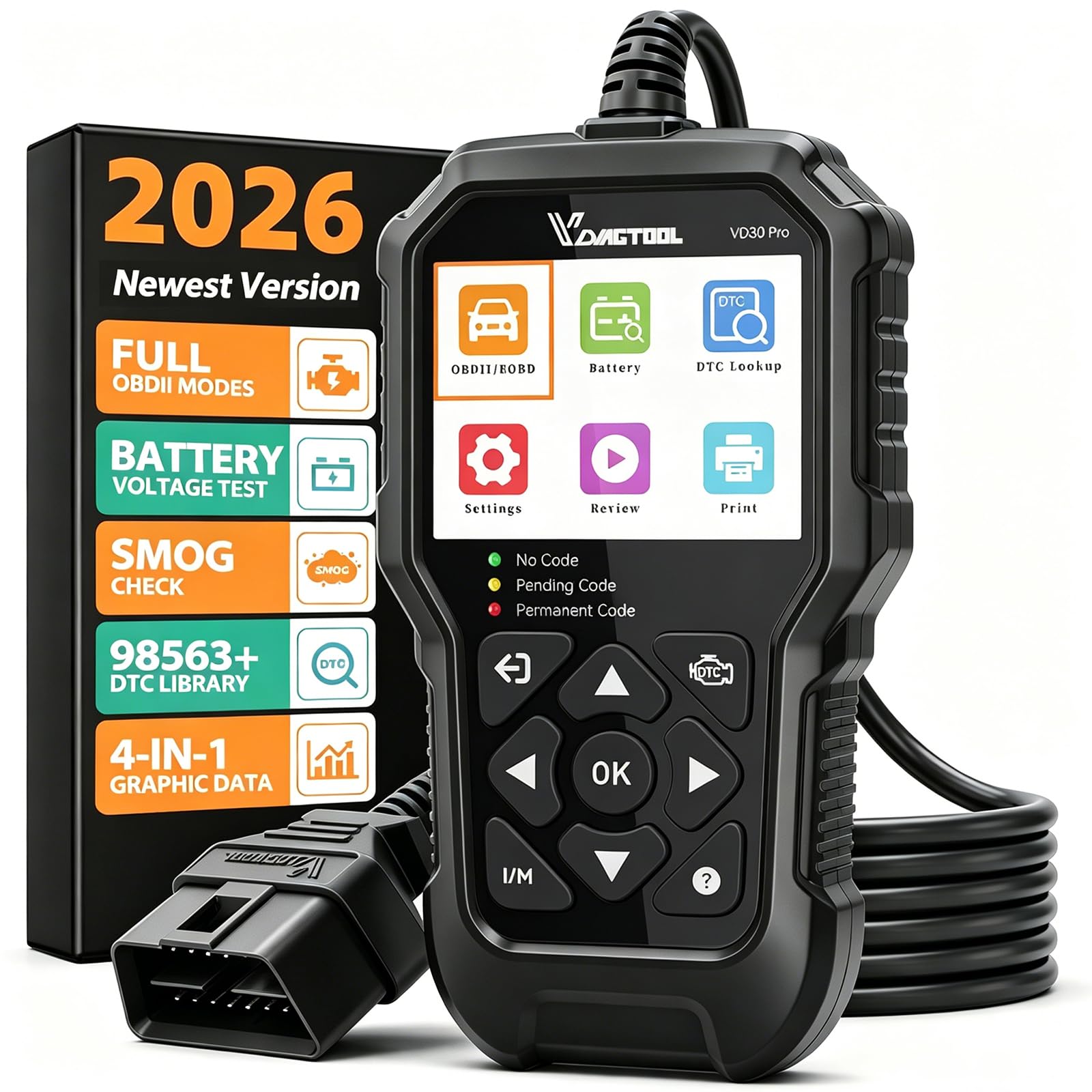
You get a clear view of live data graphs on its 2.8-inch color TFT (thin-film transistor) screen at a 320×240 resolution. That makes graphs of sensor readings like oxygen sensor voltage far easier to read than on lower-resolution units like the MOTOPOWER MP69033 (128×64). The VD30 Pro runs all 10 OBDII functions including a full I/M Readiness check and an O2 sensor test.
Its built-in library of over 98,000 DTC definitions (the plain-English explanation for each code) means you usually do not need your phone to understand a fault. The tool also offers data review, playback, and print functions to build a service history — features typical on pricier units. It runs a voltage test to check your battery, too.
It works from the start with no firmware update needed, but the manufacturer offers free lifetime updates via USB on a Windows PC. The 3-year warranty is rare for a budget scanner. Note that it skips TPMS (tire pressure), ABS (anti-lock brakes), SRS (airbags), and airbag system diagnostics — this is strictly an engine-and-emissions tool.
Why It Leads
- Sharp 320×240 color display makes graph data easy to read.
- Over 98,000 DTC definitions stored on the device.
- Advanced functions like data playback and report printing.
The Trade-Offs
- Does not support TPMS, ABS, SRS, or airbag systems.
- Some users noted a lack of built-in troubleshooting tips.
Your best bet if: you want a comprehensive tool that can handle live data graphing, voltage checks, and detailed smog readiness tests — all without needing a phone.
Look elsewhere if: you need to diagnose non-engine systems like ABS or airbags, as this scanner stays focused on the engine computer.
3. MOTOPOWER MP69033 Car OBD2 Scanner

Over 51,000 ratings cannot be wrong — this is the budget reader people actually use.
With a 4.6-star average across over 55,000 ratings, the MOTOPOWER MP69033 is the most reviewed scanner in this roundup. It has a 2.7-inch LCD screen (13% larger than the KINGBOLEN YA200’s 2.4-inch), but the native resolution is 128×64 pixels — fine for reading code numbers but too low for detailed live data graphs. It weighs 10.2 ounces (18% lighter than the 12-ounce ANCEL AD310).
Owners mention that this tool has saved them serious dealer fees. One owner said it saved a -200 dealer fee by diagnosing a simple loose gas cap. The built-in DTC (diagnostic trouble code) library explains the code on the screen so you are not left searching online. It reads and clears codes, shows live data in a real-time curve, and checks I/M readiness.
It does not read ABS or airbag codes — it is purely for engine and emissions. The 2.5-foot cable gives decent reach into the driver’s footwell, and the device powers up through the OBDII port.
Strengths
- Enormous user base with thousands of positive reviews confirms reliability.
- Large 2.7-inch screen is easy to read in the car.
- Saved many owners costly dealer diagnostic fees.
Limits
- 128×64 resolution is too low for detailed live data graphs.
- Won’t read ABS, airbag, or oil service light codes.
Perfect for: the person who wants a straightforward, highly-rated code reader that reads and clears engine codes without any complicated setup.
Not for you if: you want to see graphing of live sensor data or inspect safety systems like airbags.
4. ANCEL AD310 Classic Enhanced OBD II Scanner

Tough, simple, and recommended by a famous mechanic — but it only handles emission codes.
At 12 ounces with a thick 2.5-foot cable, the ANCEL AD310 is built to survive a drop to the garage floor. It has over 65,000 ratings with a 4.6 average and is recommended by Scotty Kilmer, a well-known YouTuber and mechanic. Customers note it effectively diagnosed a recurring check engine light as a simple gas cap issue.
It supports all major OBDII protocols, reads and clears emission-related trouble codes, displays live data, and checks I/M monitor readiness. The 128×64 resolution screen is basic but clear for reading code numbers.
The important limitation: The AD310 only supports diagnosis of emission-related issues. If the engine fault is not connected to the emissions system, it cannot read those fault codes. Some users found it would not clear codes, though for most it works as expected.
What makes it stand out: This scanner is recommended by Scotty Kilmer, a well-known YouTuber and auto mechanic, which speaks to its reliability for basic diagnostics.
The honest trade-off: The lack of support for non-emission codes means it cannot identify every engine problem — only those connected to the emissions system.
Ideal for: anyone who wants a tough, no-frills scanner for checking and clearing basic check engine codes on a variety of vehicles.
Consider something else if: you need to access manufacturer-specific codes or troubleshoot issues unrelated to emissions.
5. TOPDON AL400 OBD2 Scanner

Lightest in the roundup, with a color screen and an instant visual severity check.
Weighing just 7.8 ounces, the TOPDON AL400 is one of the lightest scanners here, easy to toss in a glove box. It is an upgrade from the AL200/AL300 and has a 2.4-inch color screen at a 240×320 resolution — bright enough to read in sunlight or a dark garage. It covers all 10 OBDII functions including I/M readiness, EVAP tests, and live streaming data in graph form.
A smart design touch: The DTC (diagnostic trouble code) result menu uses LED lights — green means no faults, yellow signals a pending code, and red indicates a permanent DTC. This gives you an instant visual on the severity of the problem without reading the screen. The device supports free lifetime updates from the manufacturer. Reviewers point out the scanner tells you what the code means on the screen, saving a step. It supports 7 languages: English, French, German, Spanish, Portuguese, Japanese, and Italian.
Why It Wins
- Lightweight 7.8-ounce design is easy to carry anywhere.
- LED health indicator gives a fast visual read on fault severity.
- Free lifetime updates and 12-month warranty.
Shortcomings
- Screen resolution (240×320) is a step below the 320×240 panels.
- Basic feature set compared to the VD30 Pro.
Grab this if: you want a portable, multilingual scanner with a color screen and clear severity indicators for quick checkups.
Pass if: you need advanced functions like data printing or detailed voltage testing.
6. Vgate iCar Pro (BT3.0/BLE4.0) OBD2 Scanner

Your smartphone becomes the ultimate diagnostic dashboard — no extra screen needed.
The Vgate iCar Pro is a small Bluetooth adapter (using Bluetooth 4.0 with a data transfer speed of 38.4Kbps) that plugs into your OBDII port and pairs with your phone or tablet. It works with iOS, Android, and Windows devices, and supports powerful third-party apps like Car Scanner, BimmerCode, Torque, and JScan. That means you get your phone’s high-resolution screen for detailed data graphs, plus coding functions for brands like BMW.
Shoppers say it works flawlessly for programming key fobs on a 2009 Jeep Grand Cherokee using the JScan app, and that it pairs easily with an iPad via the Car Scan app. An auto-sleep and wireless wake-up function (for gasoline cars) keeps your car battery safe by drawing only 3mA (milliamps — a measure of electrical current) in low-power mode.
The key caveat: The adapter reads codes and data, but you need to purchase the software apps separately. Most advanced features like ABS and airbag diagnostics depend on both your vehicle and the app. There is no built-in screen, so you rely on a charged phone.
Why Go Bluetooth
- Your phone’s large, high-res screen shows detailed data graphs.
- Works with powerful apps like BimmerCode for coding functions.
- Auto-sleep feature prevents car battery drain.
Consider This
- Requires separate app purchases for full functionality.
- No built-in screen means you are dependent on a charged phone.
Ideal for: tech-savvy users who want to use powerful apps for diagnostics, coding, and custom dashboards, or need to program keys.
Not ideal if: you prefer a standalone tool that works right from the start without needing a phone or extra software.
7. A-Premium AD200 Professional OBD2 Scanner
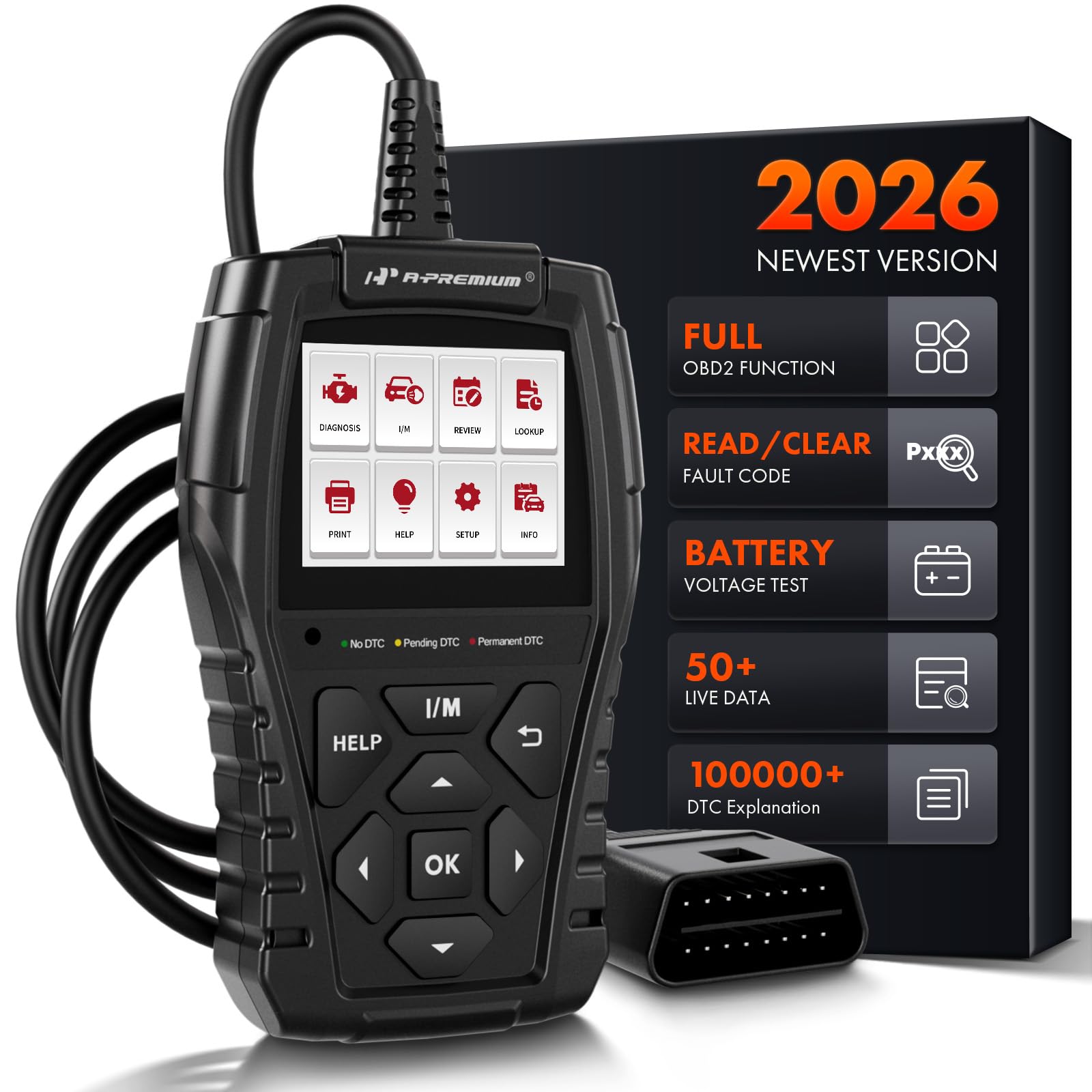
50 live data parameters for deep-dive diagnostics — the screen is small, but the data is deep.
The A-Premium AD200 focuses on data depth rather than a pretty screen. It reads up to 50 different live data parameters (sensor readings from your car) including battery voltage, coolant temperature, engine RPM (revolutions per minute — how fast the engine spins), air flow rate, and transmission gear status. It converts this data into real-time visual curves to help you spot abnormal fluctuations. The 1.77-inch screen (160×128 resolution) is small, but the data depth is strong for the price.
Three warning lights on top — green for healthy, yellow for minor issues, and red for serious faults — give you an instant severity read without staring at the small screen. The 3.9-foot cable is among the longest here, giving you plenty of reach to position the tool where you can see it. It also supports recording and printing diagnostic reports. Buyers report it accurately diagnosed a Prius code and allowed them to fix the issue with a simple bottle of HEET, avoiding a dealer cost. The manufacturer claims its ARM CPU (a type of processor) is 3X faster than entry-level scanners.
Data Depth
- Reads 50 live data parameters for deep diagnostics.
- Long 3.9-foot cable for comfortable positioning.
- Warning light system gives instant visual feedback.
The Trade-Off
- Small 1.77-inch screen makes reading data curves difficult.
- Some users found the instructions unclear.
Best for: the DIYer who wants maximum data parameters for in-depth troubleshooting and doesn’t mind a smaller screen for the depth of information.
Look elsewhere if: screen readability is your priority — the 2.8-inch VD30 Pro is a better fit for data graphing.
Understanding the Specs
Native Resolution
This tells you how sharp the screen on a code reader is. The number, like 320×240, refers to the number of tiny dots (pixels) across and down the display. A higher resolution — such as 320×240 — allows the scanner to draw clear graphs of your live sensor data, like oxygen sensor voltage waves. A lower resolution, like 128×64, is fine for reading code numbers but will not show detailed graphs or charts.
I/M Readiness
This is a shorthand for Inspection and Maintenance readiness, which refers to your car’s emissions system monitors. When you plug in a scanner and run an I/M Readiness test, it checks whether your car’s onboard computer has completed its drive cycle tests on components like the catalytic converter (which reduces exhaust pollutants) and oxygen sensors. A “not ready” status means you need to drive your car through a specific cycle before it can pass a smog test.
FAQ
Will an OBD2 scanner under $50 work with my 2020 car?
Can a cheap OBD2 scanner clear airbag or ABS codes?
What does “live data” on a scanner actually show me?
Do I need a separate power source for these scanners?
What is a “freeze frame” in an OBD2 scanner?
Can I use a Bluetooth OBD2 scanner with a Windows laptop?
What does “I/M Readiness” mean for passing a smog test?
How long do these budget OBD2 scanners usually last?
Final Thoughts: The Verdict
For most buyers, the obd2 scanner under $50 winner is the VDIAGTOOL VD30 Pro because it packs advanced functions like 4-in-1 live data graphing, a 98,000-code library, and data printing into a durable, color-screened tool. If you want a reliable, highly-rated backup that is simple to use, grab the MOTOPOWER MP69033. And for the smartphone crowd who loves app-based tuning and diagnostics, the standout is the Vgate iCar Pro for versatility.
How We Picked
We do not accept paid placement. Every pick is matched to a real buyer and a real use-case; we do not hands-on test units.
Sources & Methodology
Specifications: manufacturer listings and product documentation. Review insights: verified customer reviews, as of July 2026. Pricing: not shown on this page (it changes often); check the current price via the retailer link.
As an Amazon Associate, Trending Car earns from qualifying purchases. This does not affect which products we feature.