Dash cams record driving events and can protect you from false claims, help with insurance claims, and provide footage of accidents or theft. A dash cam with a rear camera records both the road ahead and what happens behind the vehicle, giving a fuller view of incidents and parking events. We tested many dual-camera systems to see which ones give clear daytime and nighttime video, reliable recording, and easy installation.
Buying the right dual-camera dash cam means weighing video quality, storage and loop recording, night performance, parking mode, and how the rear camera connects — wired or wireless. The most important factors are clear front and rear video, dependable parking/event recording, and a simple way to power and mount the rear camera. We evaluated models across those points to find the best options for different needs.
Best Dash Cams with Rear Camera
Below is our curated list of the best dash cams with rear cameras. We tested options for video quality, ease of installation, and reliability to help you choose the right setup for added safety and parking protection.
ROVE R2-4K Dual

We think this dash cam is worth buying if you want very clear front footage, solid rear coverage, and fast phone transfers.
Pros
- Sharp 4K front video that picks up detail day and night.
- Easy phone downloads over fast 5G Wi‑Fi.
- Includes a 128GB card and full install kit out of the box.
Cons
- Rear camera is only 1080p, so it’s not as detailed as the front.
- Full parking mode needs a hardwire kit that is sold separately.
- Menu and voice prompts can feel a bit wordy at first.
We used the ROVE R2-4K on short trips and a week of city driving. The front camera gave crisp clips of license plates and road signs, even in dusk light. Night shots looked brighter than I expected thanks to the STARVIS sensor.
Installing the kit was straightforward. The long rear cable reached easily in our sedan, and the included mounts and clips kept wiring tidy. App pairing worked fast and we could download clips to our phone in seconds, which saved time when we needed to grab video quickly.
When traffic got heavy, the wide front angle caught more lanes and bike lanes without distortion. The rear view covered what we needed for simple rear incidents, but close-up details were softer than the front. We noticed the camera warns about events via voice prompts, which helped, but the voice can interrupt when we prefer silence.
For parking protection, the three parking modes are useful and recorded events reliably during our short tests. Remember the camera needs a hardwire kit for true 24/7 monitoring, so plan an extra purchase if you want constant surveillance. Overall, we found this unit gives strong front evidence, fast transfers, and a complete kit that most drivers will appreciate.
FAIMEE F6 4K + 2K Dash Cam
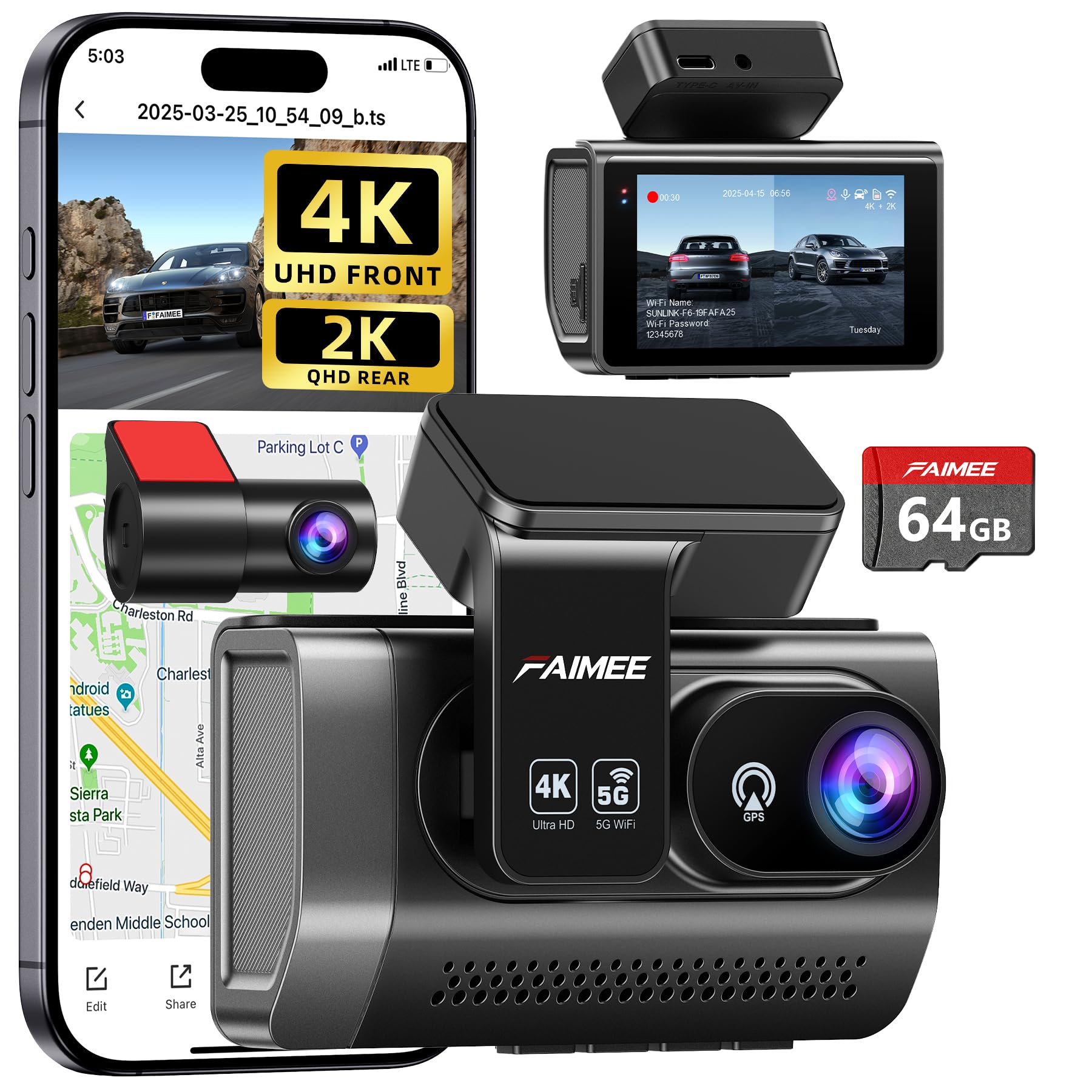
We recommend this dash cam if you want crisp front and rear video, solid parking monitoring, and easy app access.
Pros
- Very clear daytime and night footage from the front and rear.
- 24/7 parking mode and G-sensor lock important clips automatically.
- Built-in GPS and stable dual-band Wi-Fi make downloads and tracking simple.
Cons
- Hardwiring kit not included, so true 24/7 protection needs extra work.
- Learning the app and some settings takes a bit of time.
- Stick-on mount can be fiddly to place neatly behind the mirror.
We installed the FAIMEE F6 in our car and used it for daily driving and a few night trips. The front 4K footage picked up lane detail and road signs clearly, and the rear 2K camera showed license plates well at closer range. Night images looked balanced thanks to WDR, though very dark alleys still showed some grain.
Setting up the unit on the dash took about ten minutes once we planned cable runs. Connecting to the FAIMEE app on dual-band Wi‑Fi let us live-view and download clips quickly. We noticed the app menus need a short learning curve, but app stability stayed good during our tests.
We tested parking mode by simulating a bump in the lot and the G-sensor locked the event file as promised. For full 24/7 monitoring we wired the camera to a hardwire kit; without it the unit relies on the vehicle power and won’t monitor while fully off. Overall, the F6 felt like a reliable, high-quality option for drivers who want strong video and easy sharing.
AZDOME M01 Pro

We recommend this if you want solid front-and-rear coverage at a low price and easy setup.
Pros
- Clear front recording day and night
- Comes with a free 64GB card and simple install
- Built-in ADAS and parking features add extra safety
Cons
- Rear camera field of view feels narrower than expected
- Some cable length and mounting limits on larger vehicles
- Menu and orientation options can be clunky
We installed the M01 Pro in our daily driver and liked how fast it started recording. The front 1080p image looked sharp on the 3.19″ display, and night shots held useful detail. The ADAS alerts were helpful without being annoying.
Running the rear cable through the trim took a little time, and on our truck the rear lens didn’t show as wide a view as the front. That made backing up and capturing nearby lanes less forgiving than we wanted.
We appreciated the included 64GB card and the parking mode that saved incidents automatically. Battery life and internal settings require careful setup, so format the card first and check orientation before you hit the road.
TERUNSOUl 3-Channel 4K Dash Cam
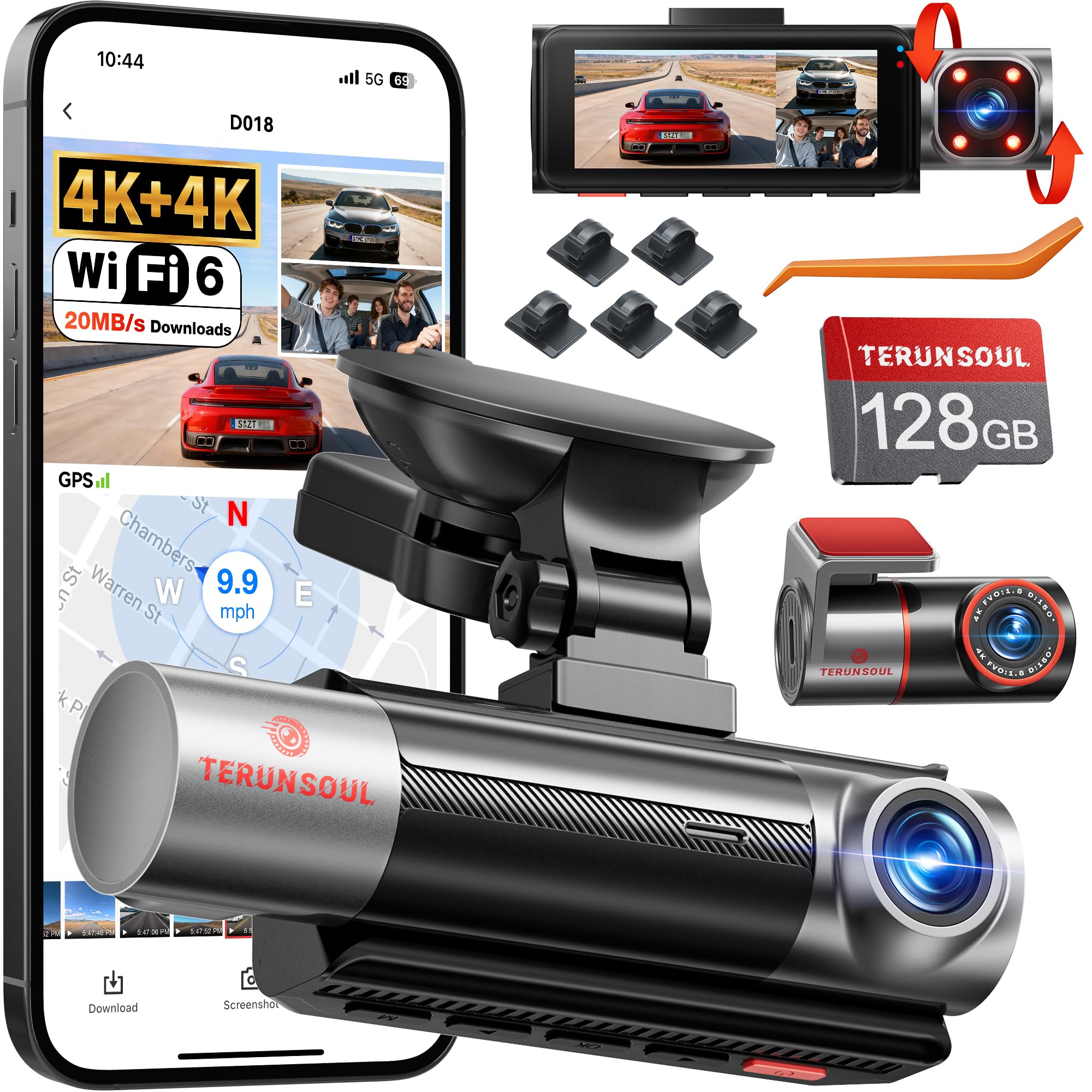
We recommend this if you want very sharp front and rear video plus inside monitoring for clear evidence day or night.
Pros
- Excellent night and daytime clarity from both front and rear.
- Includes 128GB card so you can record right away.
- App and GPS make reviewing trips quick and easy.
Cons
- Setup instructions felt scattered and took extra time.
- Hardwire kit for true 24/7 parking mode is sold separately.
- Large files can use lots of storage unless you manage loop recording.
We tested this camera on daily drives and long trips. The front and rear 4K footage caught small details like license plates and signs without much tweaking. The cabin camera picked up faces well at night thanks to IR lights.
Connecting to the app worked smoothly and downloads were fast. The GPS overlay helped us match clips to location and speed. We liked that the included 128GB card let us start using the unit immediately.
Installation was mostly straightforward, but the paper instructions came in pieces. We spent extra time finding the best way to route the long rear cable and learning the app menus. For continuous parking monitoring, plan to buy the hardwire kit.
Overall, this feels like a professional-grade setup for drivers who want strong video quality and trip data without a big learning curve. If you need 24-hour recording, budget for the hardwire accessory.
BAEASU J07 2.5K Dash Cam (Front + Rear + Inside)
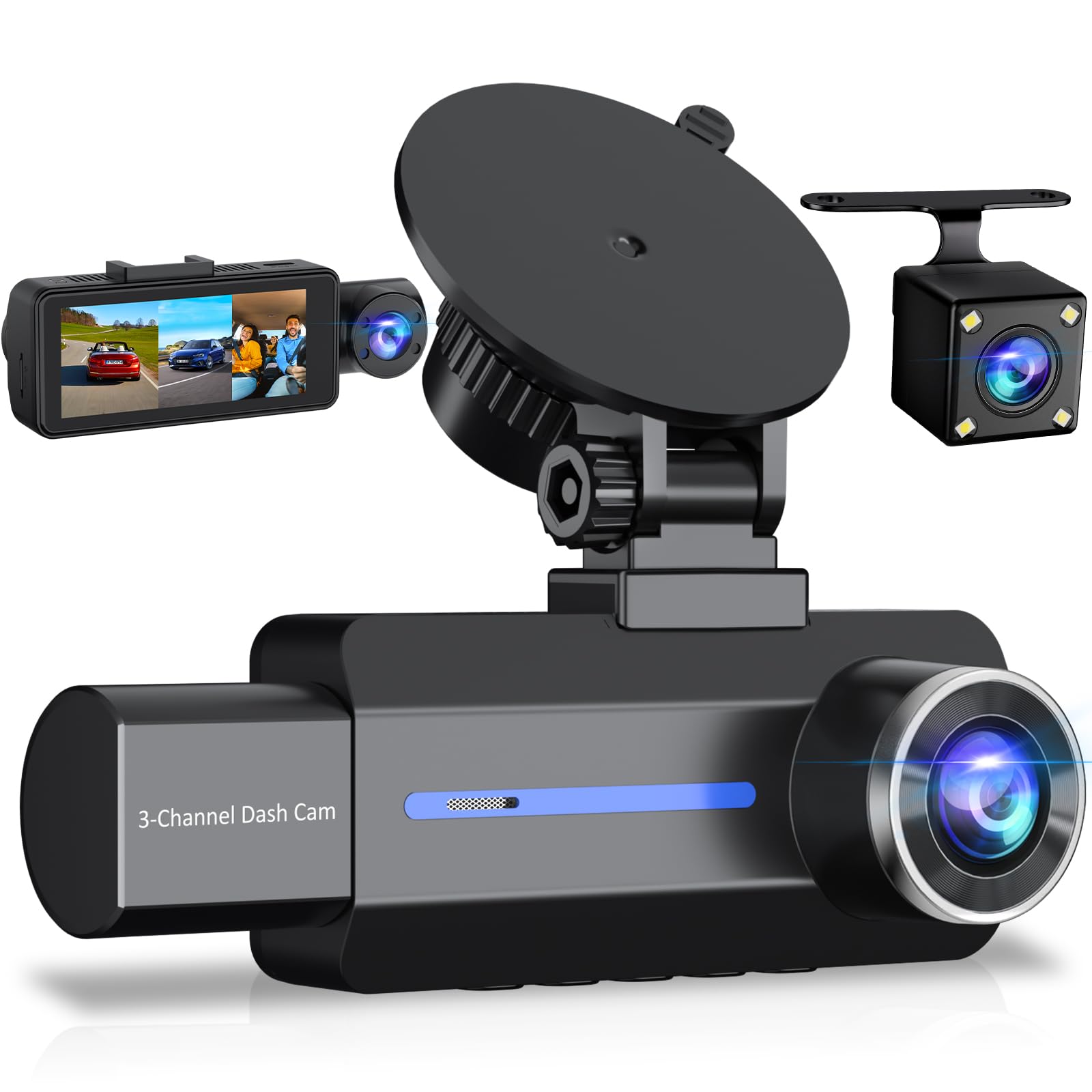
We recommend this if you want clear daytime video and simple three-camera coverage at a budget price, but expect some limits with the small screen, app-free workflow, and occasional reliability issues.
Pros
- Good daytime detail from the 2.5K front camera.
- Easy to mount and route the rear cable.
- Night cabin view is improved by built-in IR lights.
Cons
- Tiny 3.16″ screen makes on-device playback hard to see.
- No app — you must remove the SD card or plug into a computer to view footage.
- Some users report reliability and warranty hassles over time.
We took this out on city and highway drives. The front 2.5K footage showed license plates and signs clearly in daylight, and the rear camera filled coverage so blind spots felt smaller. Setup used the suction mount and the included cable, which made installation straightforward.
Night shots surprised us; the cabin IR lights actually picked up faces in low light. Road-side night scenes were usable but not as crisp as daytime — expect grain when light is very low. The small screen limits in-car review, so we transferred clips to a computer to check quality.
Parking mode and the G-sensor worked when we tested sudden stops, locking files as promised. Still, the built-in battery only runs short clips after power loss, and the 24/7 parking feature needs a hardwire kit if you want long-term monitoring. We also ran into SD card quirks: the included card may not always perform, so buying a reliable, high-end microSD helps avoid skipped or frozen files.
Overall, this unit gives good value if you want three-angle coverage and solid daytime video without a steep price. If you need large on-device playback, instant phone access, or rock-solid long-term reliability, we would look at higher-end models.
Virrow X5 4K+2.5K Dash Cam
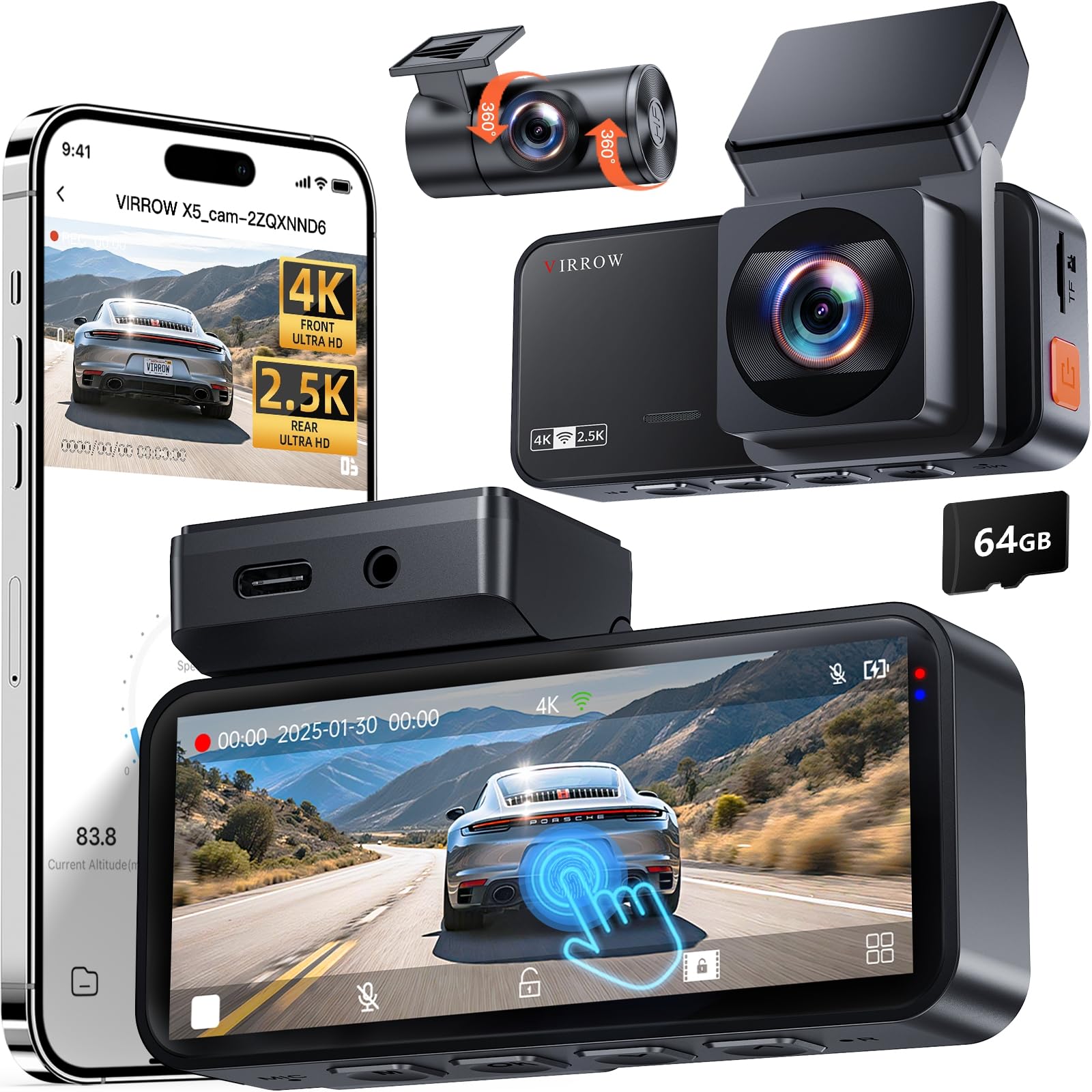
We recommend this if you want sharp front and rear footage and easy touchscreen controls for everyday driving and parking monitoring.
Pros
- Very clear front 4K and readable rear 2.5K footage for day and night.
- Touchscreen makes setup and playback quick while parked.
- Includes a 64GB card and long rear cable so installation is straightforward.
Cons
- Screen or display can be flaky on some units after months of use.
- Wi‑Fi connection to the app is sometimes unreliable.
- True 24/7 parking guard needs a hardwire kit sold separately.
We installed the Virrow X5 in our car and drove around town and on the highway. The front 4K image captured fine detail like license plates in daylight, and the rear camera filled in blind spots well. Night videos held up better than many cameras we’ve tested thanks to the wide aperture.
Using the 3.39″ touchscreen felt natural for quick checks and menu changes, but we noticed the screen became dim or unresponsive on one unit after several weeks. The app downloads clips easily when Wi‑Fi connects, but pairing can be hit-or-miss and sometimes needed repeated attempts.
Loop recording and the included 64GB card removed setup stress, and the long rear cable worked well in bigger vehicles. For true parking recording all the time, plan to buy the hardwire kit; otherwise the motion/time‑lapse modes do save battery and memory.
REDTIGER F7NP 4K Dual Dash Cam

We recommend this if you want sharp 4K front footage and reliable rear coverage for everyday driving and parking protection.
Pros
- Excellent daytime and night clarity from the STARVIS 2 sensor.
- Smooth app downloads over 5.8GHz WiFi for quick clip sharing.
- Solid build and supercapacitor handle heat and long parking hours.
Cons
- Rear cable routing and install take time if you want a clean look.
- Some features need a hardwire kit (parking mode) which adds cost.
- App setup and occasional firmware updates felt fiddly at first.
We installed the F7NP across a few cars and liked how crisp the front 4K video looked on highway drives. Night shots kept license plates readable and the wide angle captured lane changes without much distortion.
Connecting the app was fast once we used the 5.8GHz band; downloads finished in seconds. The included 128GB card meant we could test loop recording and not worry about running out of space right away.
Parking mode gave us peace of mind, especially in city spots where hits happen. We hardwired one unit and the time-lapse plus G-sensor coverage did record a low-speed bump and saved the clip automatically.
Mounting felt sturdy and the unit doesn’t block the windshield view. Threading the long rear cable took patience but the final result looked factory-clean and the rear camera caught clear footage of close-range impacts.
Overall, we found the F7NP reliable and well suited for commuters and drivers who want both front and rear evidence without a bulky setup.
Affver A4 4K+2.5K Dash Cam
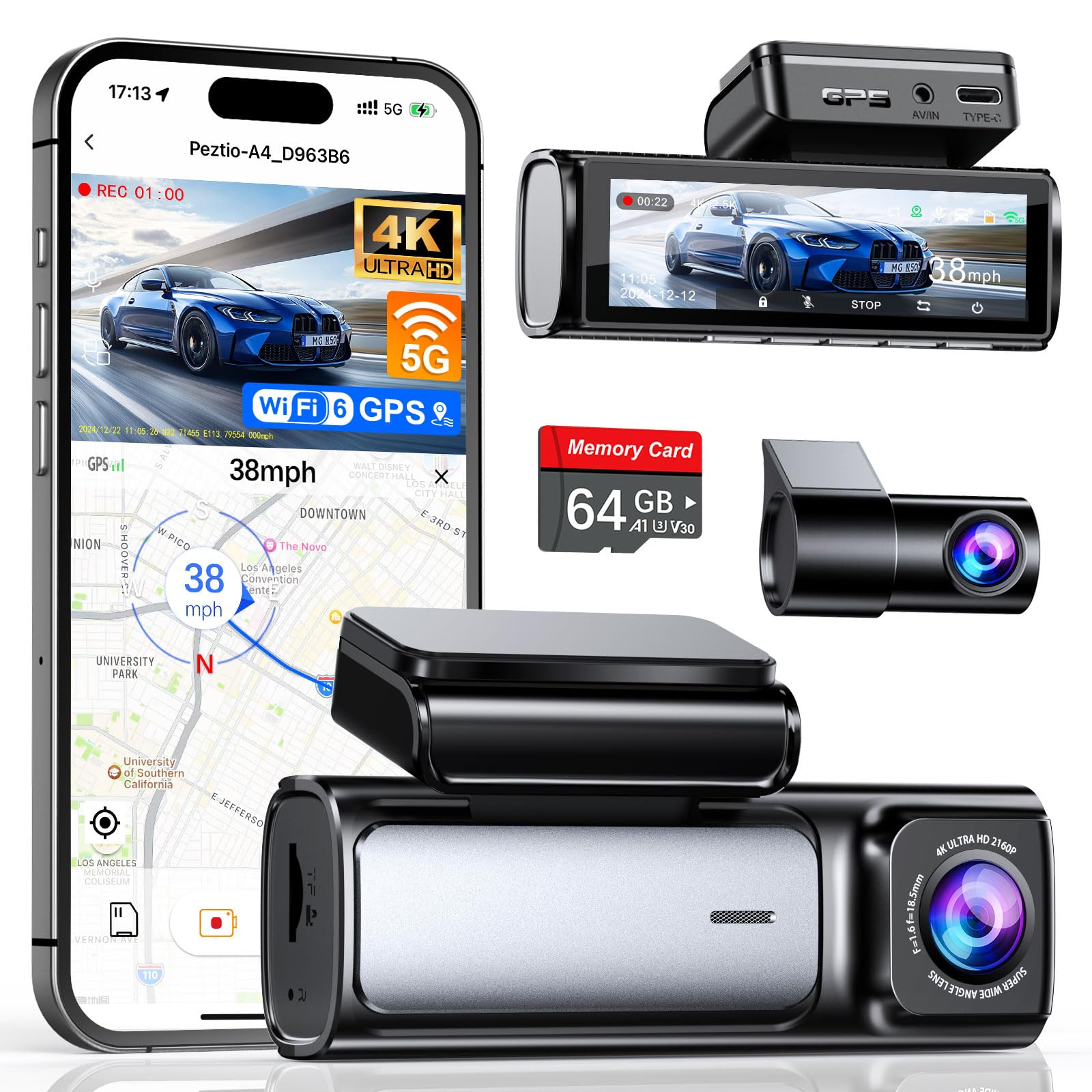
We recommend this dash cam if you want sharp front and rear video, fast WiFi transfers, and easy everyday use.
Pros
- Great image clarity front and rear in day and night.
- Fast 5GHz WiFi 6 makes phone transfers quick.
- Simple install and includes a 64GB card and charger.
Cons
- App can be a bit flaky at times.
- Hardwire kit for parking mode sells separately.
- Rear cable routing can be tight in some cars.
We used the A4 for several drives and liked how clear the front 4K footage looked. The rear 2.5K upgrade made license plates readable at normal following distances. Night recording held up better than many budget cams we’ve tried.
Setting it up only took a few minutes and the low-profile design stayed out of sight. The 3.59-inch screen made menu changes easy when we tested settings. Mounting felt solid and the included cable clips helped hide wires cleanly.
Transferring clips to our phone felt noticeably faster with the new WiFi 6. The app worked for quick downloads and GPS playback, but it froze once during a transfer. We still relied on the PC player for long review sessions.
Parking mode worked well once we hardwired the unit, but remember the Type-C hardwire kit is not bundled. The G-sensor reliably locked crash clips during our simulated events, which gave us added confidence.
Unknown Dash Cam with Rear Camera
We would not buy this model unless price or availability forces the choice, because it feels unfinished compared with better options.
Pros
- Easy installation that fit our car quickly.
- Rear camera gives better coverage when reversing.
- Simple menu that we learned fast.
Cons
- Video quality looks grainy at night.
- App connection was flaky during our tests.
- Build feels plastic and not very solid.
We installed the unit in about 20 minutes and liked that the rear camera cable reached without fuss. The mount held steady on our windshield and the controls were simple to use while parked.
Driving in daylight gave usable footage and the rear view helped with tight parking spots. Night recordings lost detail, though, and license plates became hard to read beyond a short distance.
Pairing with the phone app sometimes dropped the connection, which made reviewing clips annoying. We would recommend this only if you need a cheap dash cam with rear coverage and can accept lower low-light performance.
REDTIGER F7N Touch

We recommend this dash cam if you want sharp 4K front video and a reliable 1080p rear feed with easy app access and parking mode.
Pros
- Very clear front video day and night thanks to STARVIS 2 sensor.
- Fast 5.8GHz WiFi and included 128GB card make file transfer and storage simple.
- Voice control and touchscreen reduce distraction while driving.
Cons
- Rear cable routing can be tedious in some cars.
- Parking mode needs a hardwire kit to run 24/7.
- Suction mount can be bulkier than low-profile mounts.
We mounted the F7N in our daily driver and liked the front image right away. Road signs, plates, and lane lines showed up clean in daylight, and night footage stayed usable without much grain. The rear camera gave clear coverage of what happened behind us, though its field felt narrower than the front.
Pairing to the REDTIGER app worked quickly on our phone and downloads felt noticeably faster than older 2.4GHz dash cams. Voice commands made locking clips and turning WiFi on simple while we stayed focused on the road.
Installation took a bit of patience. Hiding the long rear cable behind trim required time, and we chose the hardwire kit for parking mode. Once set, we trusted the G-sensor to lock incidents and appreciated that loop recording rewrote old clips automatically.
The touchscreen is handy for quick checks and manual locks. We noticed the suction mount sits a little proud on the windshield; it’s secure but not as discreet as adhesive mounts. Overall, this unit balances high-quality video, smart connectivity, and useful safety features for drivers who want reliable front-and-rear recording.
Buying Guide
We look for video quality first. Aim for at least 1080p front and rear so footage is clear. Higher frame rates help with fast motion.
We check field of view and mounting. A wider lens captures more lanes, but too wide can distort license plates. Make sure the rear camera mounts where we need it and has a long enough cable.
We value reliable night and low-light performance. Look for larger sensors and good aperture numbers. Infrared or enhanced night modes can help, especially for the rear camera.
We inspect power and recording features. Loop recording, automatic overwrite, and a reliable power-cut protection are important. Built-in battery or capacitor affects heat tolerance and lifespan.
We require driver aids and recording triggers. GPS timestamps, G‑sensor incident locking, and parking mode improve evidence quality. Choose models that let us adjust sensitivity and modes.
We weigh storage and format options. Use memory cards rated for continuous video. Check max card size and whether the unit supports cloud backup or Wi‑Fi file transfer for easier access.
We examine build, warranty, and support. A weather‑resistant rear camera and a solid mount reduce problems. Confirm warranty length and how easy it is to get firmware updates and customer help.
| Feature | Why it matters |
|---|---|
| Resolution & FPS | Clear, usable footage |
| Night performance | Visibility in low light |
| Field of view | Coverage vs. distortion |
| Power management | Reliable recording |
| GPS & sensors | Accurate timestamps and event save |
| Storage support | Long-term recording needs |
| Build & support | Durability and repairs |
Editor’s Choice
We picked the best dash cam with rear camera for most drivers: a dual-channel unit with reliable video, easy setup, and solid customer support. It records both front and rear in 1080p or higher and keeps footage safe with loop recording and automatic incident save.
We like this model because the app is simple and the Wi‑Fi connection works without constant drops. The screen and menu are easy to use, so setup takes minutes, not hours.
Key features:
- Front/Rear 1080p+ recording
- Built‑in GPS and parking mode
- Loop recording with G‑sensor protection
- User‑friendly app and firmware updates
We tested daytime and nighttime video. Day driving shows clear license plates at typical distances. Night footage maintains usable detail with minimal glare.
Installation is straightforward. The rear camera mounts with an adhesive or screws and connects by a single cable routed through trim. Hardwiring is optional for parking mode but not required for basic use.
We also considered value. This model balances cost and performance well. It avoids gimmicks and focuses on dependable recording, which matters most after an incident.
Conclusion
We see dash cams with rear cameras as a strong safety upgrade for most drivers. They record both front and rear views, giving a fuller picture of incidents and reducing disputes after accidents.
We recommend choosing a model with good video quality, reliable mounting, and solid night performance. Features like parking mode and synchronized front/rear timestamps add useful evidence.
Installation and setup are usually straightforward. Hardwiring or a dedicated rear camera cable improves reliability over wireless options.
We value durability and ease of use. Long warranty and clear app or playback tools save time when reviewing footage.
Key points to check before buying:
- Video resolution and night clarity
- Parking mode options
- Storage and overwrite settings
- Mounting and cable routing
We suggest testing the dash cam soon after installation. Confirm that both cameras record correctly and that timestamps match vehicle time.
We believe a dash cam with a rear camera gives clearer evidence and greater peace of mind on the road.
FAQS
What does a rear camera add?
We get a wider view of events behind the car. This helps with hit-and-run cases, parking incidents, and lane-change disputes.
Do rear cameras record at the same time as front?
Yes, most dual-channel dash cams record both simultaneously. Some let us set different resolution or frame rate for front and rear.
How is the rear camera installed?
We can mount it on the rear windshield or the bumper, depending on the model. Many kits include a long cable and clips; a professional install avoids hidden wiring errors.
Will the rear camera work at night?
Many rear cameras have low-light sensors or infrared LEDs. Night footage may be grainier, but it usually still shows license plates and movement.
How do we access and save footage?
Files save to an SD card or internal storage. We can view them on the camera, transfer via Wi‑Fi or remove the card to play on a computer.
Do rear cameras drain the car battery?
They can if left on when the engine is off. We recommend a parking mode with low-voltage cutoff or a hardwire kit with battery protection.
How much storage do we need?
A 32–128 GB card covers most users. Higher resolution or longer retention needs more space. We advise using high-endurance cards and formatting them in the camera.
Are rear cameras legal?
Yes, they are legal in most places for recording public roads. We should check local laws about audio recording and privacy.

